
Step-by-Step Guide: Installing and Configuring OpenVPN on Debian
Contents
OpenVPN is one of the most widely trusted VPN platforms in the world for building secure, encrypted tunnels between devices and networks. When deployed on a Debian server, it becomes a powerful solution for privacy, remote access, and secure communication. This comprehensive guide will show you exactly how to install and configure OpenVPN on Debian step-by-step, explain how it works, and help you troubleshoot common problems without needing a table.
This guide covers everything from basics to advanced configuration, so both beginners and experienced Linux users can follow along easily.
1. What is OpenVPN and Why Should You Use It on Debian?
OpenVPN is an open-source virtual private network solution that creates secure tunnels over the internet using TLS/SSL encryption. It protects your data from hackers, ISPs, and surveillance systems. Debian is one of the best Linux distributions for running OpenVPN because of its stability, security patches, and performance.
Key advantages of OpenVPN on Debian
- Strong AES-256 encryption
- Free and open-source
- Works behind NAT and firewalls
- Cross-platform compatibility
- Perfect for remote workers and servers
- Supports TLS authentication
- Excellent community support
What OpenVPN is commonly used for
- Secure remote employee access
- Hiding the real IP address
- Preventing ISP tracking
- Bypassing geo-blocking
- Connecting office branches
- Gaming security and latency control
- Secure IoT network connections
Debian is frequently deployed on VPS platforms such as DigitalOcean, AWS, Google Cloud, Hetzner, and on local servers, making it an ideal backbone for OpenVPN.
2. How to Install OpenVPN on Debian – Step-by-Step Tutorial
Follow the steps carefully in sequence.
Step 1: Update your Debian server
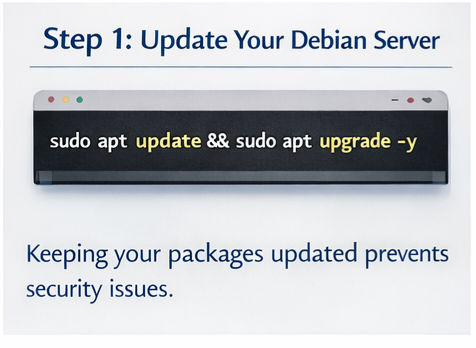
Keeping your packages updated prevents security issues:
sudo apt update && sudo apt upgrade -y
Step 2: Install OpenVPN and Easy-RSA
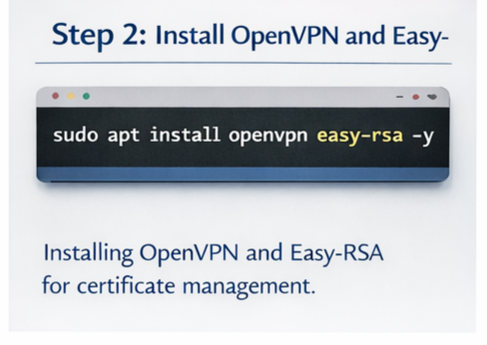
Easy-RSA helps generate encryption keys and certificates.
sudo apt install openvpn easy-rsa -y
Step 3: Create the Public Key Infrastructure (PKI)
make-cadir ~/openvpn-cacd ~/openvpn-ca
Initialize environment:
source vars./clean-all./build-ca
Step 4: Create the server certificate and key
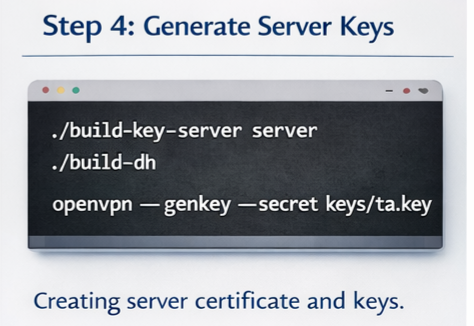
./build-key-server server./build-dhopenvpn --genkey --secret keys/ta.key
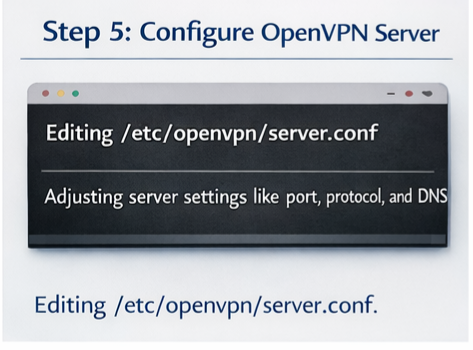
Step 5: Configure the OpenVPN server
Copy sample server configuration:
gunzip -c /usr/share/doc/openvpn/examples/sample-config-files/server.conf.gz | sudo tee /etc/openvpn/server.conf
Edit configuration:
sudo nano /etc/openvpn/server.conf
Important parameters to review:
- Port number (default 1194)
- Protocol (UDP recommended)
- Cipher method
- TLS authentication
- Keepalive settings
- DNS push settings
Step 6: Enable packet forwarding
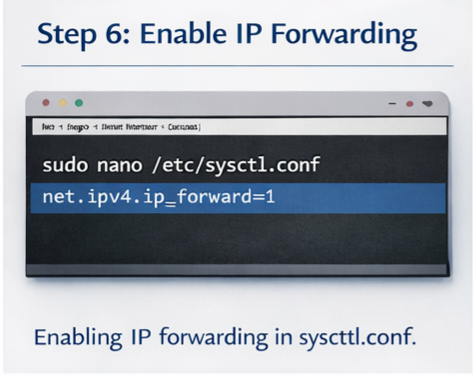
Open sysctl configuration:
sudo nano /etc/sysctl.conf
Uncomment:
net.ipv4.ip_forward=1
Apply the change:
sudo sysctl -p
Step 7: Configure firewall rules (UFW or iptables)
Allow OpenVPN traffic:
sudo ufw allow 1194/udp
Allow forwarding:
sudo ufw allow OpenSSHsudo ufw enable
For the iptables masquerading example:
sudo iptables -t nat -A POSTROUTING -s 10.8.0.0/24 -o eth0 -j MASQUERADE
Step 8: Start and enable the OpenVPN service
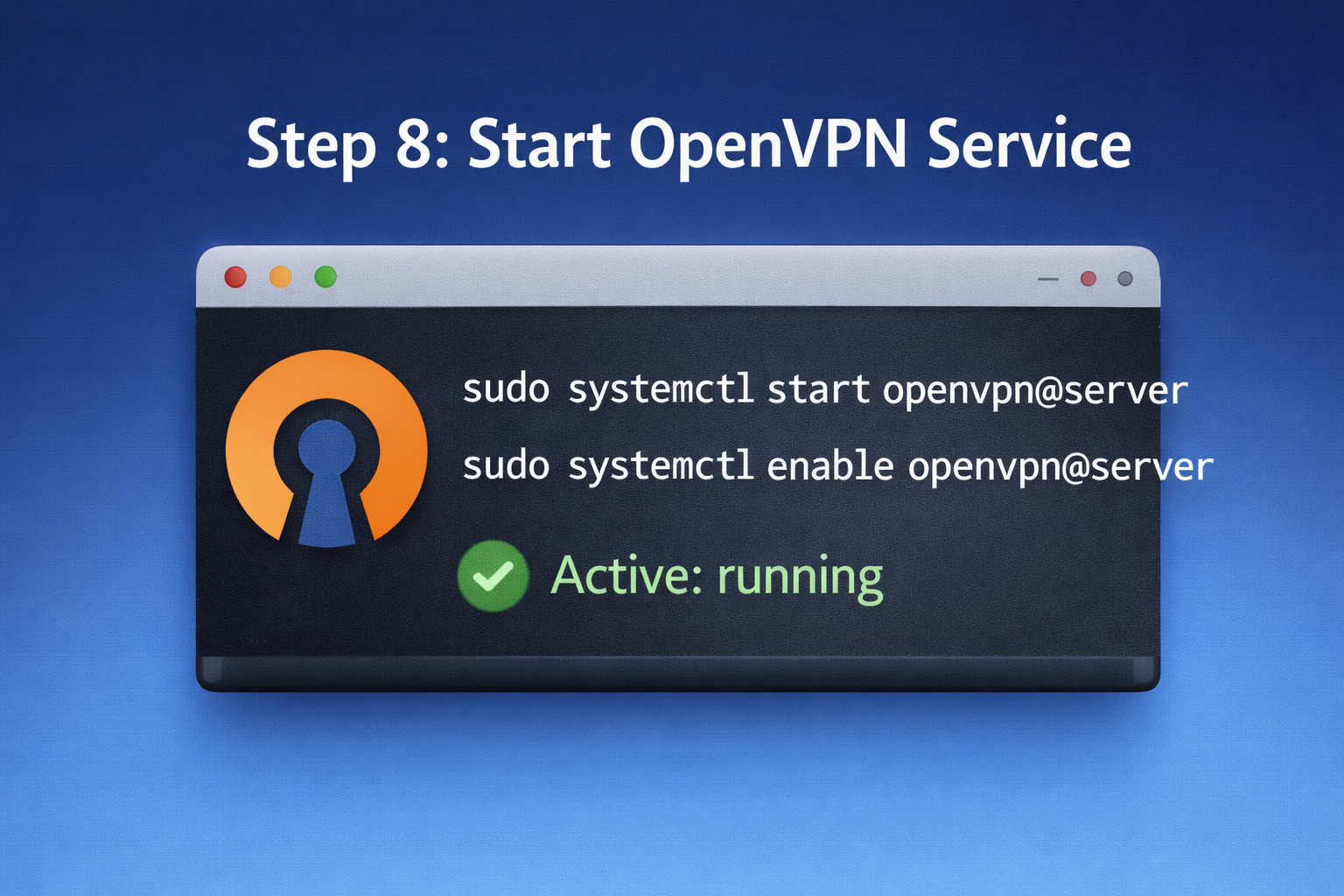
sudo systemctl start openvpn@serversudo systemctl enable openvpn@server
Check status:
sudo systemctl status openvpn@server
Your OpenVPN server is now ready.
3. How to Configure OpenVPN Client Files
Clients need:
- CA certificate
- Client certificate
- Client key
- key
- .ovpn configuration file
Export client profile:
./build-key client1
Create a combined client file structure for easy import on Windows/Android.
4. Common OpenVPN Problems and How to Fix Them (No Table Format)
Below are the most frequent errors and how to resolve them in plain text format.
❌ OpenVPN service does not start
➡️ Incorrect configuration or missing certificates
✔️ Solution: check logs
sudo journalctl -u openvpn@server --no-pager
❌ Client cannot connect to the server
➡️ Firewall blocking traffic
✔️ Solution: open UDP port 1194
❌ Connected but no internet
➡️ IP forwarding disabled
✔️ Solution: enable in sysctl, then reload
❌ TLS handshake failed
➡️ Authentication key mismatch
✔️ Solution: verify same ta. The key is used on both sides
❌ Connection is slow
➡️ Network congestion or wrong protocol
✔️ Solution: Try switching TCP/UDP or ports
❌ DNS leaks
➡️ Client not using VPN DNS
✔️ Solution: push DNS config in server.conf
❌ Frequent disconnections
➡️ Missing keepalive configuration
✔️ Solution: add keepalive 10 120
❌ No traffic passes
➡️ Missing NAT rules
✔️ Solution: configure iptables masquerade
❌ Permission denied
➡️ Not running as root
✔️ Solution: run OpenVPN using sudo
5. Best Practices for Optimizing OpenVPN on Debian
To improve security and performance:
- Use UDP whenever possible
- Change the default VPN port
- Use modern encryption suites
- Monitor logs regularly
- Rotate client certificates
- Use fail2ban for brute-force protection
- Keep Debian updated
- Disable weak ciphers
- Prefer AES-GCM over AES-CBC
- Avoid password-only authentication
Conclusion
Installing OpenVPN on Debian is one of the best ways to secure communications, protect privacy, and enable remote access to private networks. By carefully following the step-by-step instructions above, enabling IP forwarding, configuring firewall rules, and generating proper certificates, you can create a reliable and secure VPN environment.
With the troubleshooting guide and FAQs included, beginners can solve most issues without external help. Whether you’re using Debian for personal privacy, corporate security, or remote administration, OpenVPN remains one of the strongest, most flexible VPN solutions available today.


Diet Seimbang
13 February 2026I am sure this post has touched all the internet users, its really really fastidious piece
of writing on building up new weblog.
ALis
10 June 2026Thank you so much for your thoughtful comment!
We’re delighted that you found the article helpful and informative. Our goal is to provide practical guidance for anyone interested in starting a blog, building an online presence, improving SEO, choosing reliable web hosting, and creating valuable content for their audience.
It’s wonderful to know that the information resonated with you. We believe that sharing knowledge and real-world experience can help both new and experienced bloggers achieve their goals more effectively.
Thank you for your support, and we hope you’ll continue visiting our website for more tutorials, blogging tips, technology guides, and web hosting resources in the future!
Rekomendasi Film
13 February 2026I need to to thank you for this wonderful read!!
I absolutely loved every bit of it. I have got you bookmarked to look at new stuff you post…
ALis
10 June 2026Thank you so much for your wonderful feedback!
We’re thrilled to hear that you enjoyed the article and found it valuable enough to bookmark our website. Our goal is to provide high-quality tutorials, Linux guides, server management resources, web hosting solutions, cybersecurity tips, and technology insights that help readers stay informed and solve technical challenges.
Knowing that you’ll be returning for future updates is the greatest compliment we could receive. We regularly publish new articles, technical tutorials, and industry news, and we look forward to sharing more useful content with you.
Thank you again for your support and for being part of our growing community!
Strategi Bisnis
13 February 2026Hurrah! At last I got a website from where I be
able to truly obtain valuable facts regarding my study and knowledge.
ALis
10 June 2026Thank you so much for your wonderful comment!
We’re delighted to hear that you found valuable information here for your studies and learning. Our mission is to provide accurate, practical, and easy-to-understand content covering Linux, server management, web hosting, networking, cybersecurity, and other technology-related topics.
Knowing that our articles contribute to your knowledge and educational goals is incredibly rewarding. We regularly publish new tutorials, technical guides, and industry insights, so we hope you’ll continue visiting and discovering more useful resources.
Thank you for your support, and we wish you great success in your studies and future projects!
Teknologi Produktif
13 February 2026Hi! This is kind of off topic but I need some advice from an established blog.
Is it tough to set up your own blog? I’m not very techincal but I can figure things out pretty fast.
I’m thinking about creating my own but I’m not sure where to begin. Do you have any tips or suggestions?
Many thanks
ALis
10 June 2026Hello! Thank you for your comment and interest in starting your own blog.
The good news is that creating a blog today is much easier than it used to be. You don’t need to be highly technical to get started. Many platforms, such as WordPress, offer user-friendly tools that allow you to build and manage a website without extensive coding knowledge.
My advice would be to start with a topic you’re passionate about, choose reliable web hosting, and focus on creating helpful, original content for your audience. Learning basic SEO, content writing, and website management over time can also help your blog grow successfully.
Most importantly, be consistent and patient. Every successful blog starts with a first post, and experience comes naturally as you continue publishing and learning.
Best of luck with your blogging journey, and thank you for visiting our website!
Keamanan Aplikasi
13 February 2026Fine way of describing, and nice paragraph to get data about my presentation topic, which i am going to present in university.
ALis
10 June 2026Thank you for your kind comment!
We’re delighted to hear that you found the article clear, informative, and useful for your university presentation. One of our goals is to provide well-structured, easy-to-understand content that helps students, professionals, and technology enthusiasts learn about Linux, server administration, web hosting, networking, and other technical topics.
We wish you the very best with your presentation and hope the information helps you achieve great results. Thank you for visiting our website, and we look forward to sharing more useful tutorials and technical resources with you in the future!
Fotografi Digital
13 February 2026Magnificent goods from you, man. I have understand your stuff previous to and you are just too excellent.
I really like what you’ve acquired here, really like
what you’re stating and the way in which you say it.
You make it enjoyable and you still take care
of to keep it sensible. I can’t wait to read far more from
you. This is really a wonderful web site.
ALis
10 June 2026Thank you so much for your incredible feedback and continued support!
We’re truly honored to hear that you’ve been following our content and enjoying our articles. Our goal is to make complex topics such as Linux administration, server management, web hosting, cybersecurity, VPS solutions, and cloud technologies both informative and easy to understand.
Knowing that our content is helpful, practical, and enjoyable to read motivates us to keep creating high-quality tutorials, technical guides, and industry insights for our readers. Your encouragement means a great deal to us.
Thank you again for being part of our community. We look forward to sharing many more useful articles, tutorials, and technology updates with you in the future!
Teknologi Hijau
13 February 2026I think that what you published was actually very logical.
But, what about this? what if you typed a catchier title?
I mean, I don’t want to tell you how to run your blog, but suppose you added a title that grabbed a person’s attention? I mean Пошаговое
руководство: установка и настройка OpenVPN в Debian is a little boring.
You should peek at Yahoo’s home page and see how
they create post headlines to grab viewers to open the links.
You might add a video or a related picture or two to get readers excited about what you’ve written. In my opinion, it would
make your posts a little livelier.
ALis
10 June 2026Thank you for your thoughtful feedback and suggestions!
We appreciate you taking the time to share your ideas. You’re absolutely right that engaging headlines, visuals, and multimedia content can improve the reader experience and make technical topics more appealing. We continually work on improving our articles, tutorials, and website design to make our content both informative and engaging.
Our primary goal is to provide accurate, practical, and easy-to-follow guides on Linux, OpenVPN, server management, web hosting, and other technology-related topics. Feedback like yours helps us identify areas where we can enhance readability and presentation.
Thank you again for your valuable input. We truly appreciate your support and hope you’ll continue following our content as we keep improving and expanding the website.
Motivasi Diri
13 February 2026Thanks for ones marvelous posting! I seriously enjoyed reading it, you are a great author.
I will be sure to bookmark your blog and will
come back someday. I want to encourage you to continue your great job, have a nice evening!
ALis
10 June 2026Thank you so much for your kind and encouraging words!
We’re truly grateful that you enjoyed the article and found it worth bookmarking. Our goal is to provide high-quality content, practical tutorials, Linux and server management guides, web hosting solutions, and technology resources that help readers learn and solve real-world challenges.
Knowing that our content is valuable to readers like you motivates us to continue publishing informative and up-to-date articles. We appreciate your support and look forward to welcoming you back for more tutorials, technical insights, and industry updates in the future.
Have a wonderful day, and thank you again for being part of our community!
Simulasi Kredit
13 February 2026Everything is very open with a really clear clarification of
the issues. It was really informative. Your website is very helpful.
Thanks for sharing!
ALis
10 June 2026We’re delighted to hear that you found the explanation clear and the information useful. Our mission is to provide easy-to-understand tutorials, Linux guides, server management resources, web hosting solutions, and technology insights that help both beginners and experienced users solve technical challenges efficiently.
Your support motivates us to continue creating high-quality content and sharing practical knowledge with our readers. We appreciate your visit and hope you’ll keep exploring our articles for more useful tips, tutorials, and industry updates.
Langit Malam
13 February 2026This design is spectacular! You obviously know how to keep a reader entertained.
Between your wit and your videos, I was almost moved to
start my own blog (well, almost…HaHa!) Great job.
I really loved what you had to say, and more than that, how
you presented it. Too cool!
ALis
10 June 2026Thank you so much for your amazing feedback!
We’re thrilled to hear that you enjoyed both the design and the content. Our goal is to create an engaging experience by combining practical tutorials, in-depth technology guides, Linux and server management resources, web hosting solutions, and easy-to-follow explanations that help readers solve real-world challenges.
Comments like yours inspire us to continue producing high-quality content and sharing valuable knowledge with our growing community. Whether you’re looking for VPS hosting tips, cybersecurity insights, Linux tutorials, or server administration guides, we’re committed to providing reliable and useful information.
Thank you again for your support, and we hope you’ll continue visiting for more expert tutorials, technical resources, and the latest technology updates!
Ancaman Digital
13 February 2026Appreciation to my father who told me regarding this website, this web site is
genuinely awesome.
ALis
10 June 2026Thank you so much for your wonderful comment!
We’re honored that your father recommended our website to you, and we’re delighted to hear that you’re enjoying the content. Recommendations from family and friends are truly special, and it’s rewarding to know that our articles and tutorials are reaching and helping more people.
We regularly publish useful content on Linux, server management, web hosting, cybersecurity, and technology topics, and we hope you’ll continue to find valuable information here. Thank you for visiting and for your support!
Teknologi Hijau
13 February 2026Does your website have a contact page? I’m having problems locating it but, I’d like to shoot you an email.
I’ve got some suggestions for your blog you might be interested in hearing.
Either way, great website and I look forward to seeing it expand
over time.
ALis
10 June 2026Thank you for your kind words and for taking the time to share your feedback!
We truly appreciate your interest in our website and would be happy to hear your suggestions. Please check the Contact Us page or the contact information available on the website, as we’d love to receive feedback that can help us improve and grow.
Comments and suggestions from readers play an important role in helping us create better content, whether it’s related to Linux, server management, web hosting, cybersecurity, or other technology topics.
Thank you again for your support, and we’re glad to have you as part of our community. We look forward to bringing you more useful articles and tutorials in the future!
Kerja Remote
13 February 2026I was recommended this blog via my cousin. I am no longer
positive whether this put up is written via him as nobody
else realize such distinctive approximately my problem.
You’re incredible! Thank you!
ALis
10 June 2026Thank you so much for your kind words!
We’re delighted that your cousin recommended our blog and even happier to hear that the article was relevant to your situation. One of our main goals is to create practical, detailed, and easy-to-understand content that helps readers solve real-world problems related to technology, Linux, server management, web hosting, and online services.
Your feedback truly means a lot to us. Thank you for taking the time to leave a comment, and we hope you’ll continue visiting our website for more helpful guides and tutorials in the future!
محافظ إلكترونية مصر
13 February 2026Fantastic beat ! I would like to apprentice while you amend your website, how could i subscribe for a blog site?
The account helped me a acceptable deal. I had been a little bit acquainted of this your
broadcast provided bright clear idea
ALis
10 June 2026Thank you for your wonderful comment and for your interest in our website!
We’re delighted to hear that you found the content helpful and informative. It’s always encouraging to know that our articles provide clear and useful insights to readers.
To stay updated with our latest tutorials, Linux guides, server management tips, web hosting resources, and technology news, please check the subscription options available on the website, such as our newsletter, RSS feed, or social media channels.
We truly appreciate your support and look forward to sharing more valuable content with you in the future!
Keamanan Data
13 February 2026Helpful info. Lucky me I found your site accidentally, and I’m
shocked why this coincidence did not happened in advance!
I bookmarked it.
ALis
10 June 2026Thank you so much for your kind comment!
We’re thrilled that you discovered our website and found the information helpful. Sometimes the best discoveries happen by chance, and we’re delighted that you found your way here. It means a lot to know that you’ve bookmarked the site for future visits.
We regularly publish tutorials, Linux guides, server management tips, web hosting resources, and technology-related articles, so we hope you’ll continue to find valuable content whenever you stop by. Thanks again for your support!
Pelatihan Online
13 February 2026It’s very easy to find out any topic on web as compared to
textbooks, as I found this article at this website.
ALis
10 June 2026Thank you for your thoughtful comment!
We’re delighted that you found this article helpful and easy to access. One of our goals is to provide clear, practical, and up-to-date information that helps readers quickly find answers to their questions about technology, Linux, server management, web hosting, and related topics.
We appreciate your visit and hope you’ll continue exploring our tutorials and guides for more useful insights in the future.
Resep Sehat
13 February 2026Hi there this is somewhat of off topic but I was wanting to know if blogs use WYSIWYG editors or if you have to manually code with HTML.
I’m starting a blog soon but have no coding knowledge
so I wanted to get advice from someone with experience.
Any help would be enormously appreciated!
ALis
10 June 2026Hello! Thanks for your comment.
Most modern blogging platforms use user-friendly WYSIWYG (What You See Is What You Get) editors, so you generally don’t need to know HTML or programming to start a blog. Platforms such as WordPress make it easy to create, format, and publish content through a visual editor.
While learning some basic HTML can be helpful in the long run, it’s definitely not required when you’re just getting started. My advice is to focus on creating valuable content, choosing a topic you’re passionate about, and publishing consistently.
Best of luck with your new blog, and thank you for visiting our website!
Akomodasi Terbaik
13 February 2026It’s fantastic that you are getting thoughts from
this piece of writing as well as from our discussion made at this time.
ALis
10 June 2026Thank you for your thoughtful comment!
We’re glad to hear that both the article and the discussion have provided useful insights. One of our main goals is to create high-quality content that helps readers learn more about Linux, server management, web hosting, cybersecurity, and modern technology solutions.
We believe that sharing knowledge through articles and community discussions creates even greater value for everyone. Thank you for being part of the conversation, and we hope you’ll continue exploring our tutorials, guides, and technical resources.
Digi Future
13 February 2026Do you have a spam issue on this website; I also am a blogger,
and I was curious about your situation; we have developed some nice practices and we
are looking to exchange methods with others, why not shoot
me an email if interested.
ALis
10 June 2026Thank you for your comment and for sharing your experience.
Like many websites, we occasionally deal with spam submissions, but we continuously work on improving our moderation processes and security measures to maintain a high-quality user experience. It’s always interesting to learn about new techniques and best practices from fellow bloggers and website owners.
We appreciate your willingness to exchange ideas and insights. Thank you for reaching out and for being part of the blogging community!
Hutan Lestari
13 February 2026Please let me know if you’re looking for a article writer for your blog.
You have some really good articles and I believe I would
be a good asset. If you ever want to take some of the
load off, I’d absolutely love to write some content for your blog in exchange for
a link back to mine. Please send me an email if interested.
Thank you!
ALis
10 June 2026Thank you for your kind words and for your interest in contributing to our blog.
We’re delighted to hear that you enjoy our articles and appreciate your offer to help with content creation. We are always interested in connecting with talented writers and industry enthusiasts. Please feel free to reach out through our contact page with some details about your experience, writing samples, and areas of expertise.
We’ll be happy to review your information and get in touch if there’s a suitable opportunity for collaboration. Thanks again for your support and interest in our website!
Pengolahan Data
13 February 2026This information is priceless. Where can I find out more?
ALis
10 June 2026Thank you for your kind words! We’re delighted that you found the information valuable.
You can explore more related articles and tutorials throughout our website, where we regularly publish in-depth guides, technical tips, server management tutorials, Linux and web hosting resources, and the latest technology insights. Feel free to browse our categories and recent posts for additional information on this topic.
We appreciate your visit and hope you’ll continue to find useful content here. If you have any specific questions, don’t hesitate to ask!
Makhluk Gaib
13 February 2026Hi there to every body, it’s my first pay a visit of
this website; this website includes remarkable and
genuinely fine stuff for visitors.
ALis
10 June 2026Thank you for visiting our website and for your wonderful comment!
We’re delighted that your first visit was a positive experience. Our goal is to provide high-quality tutorials, server management guides, Linux tips, web hosting resources, and technology-related content that helps visitors find practical solutions and useful information.
We truly appreciate your support and hope you’ll continue exploring our articles and return for more updates in the future. Welcome to our community!
Hit Rewind
13 February 2026I think the admin of this web page is in fact working hard for his web site, for the reason that here every
material is quality based material.
ALis
10 June 2026Thank you very much for your kind words! We truly appreciate your feedback.
Our goal is to provide high-quality tutorials, Linux guides, server management tips, web hosting solutions, and technology-related content that is both practical and easy to follow. Comments like yours motivate us to continue creating valuable resources for our readers.
We’re glad you found the content useful and hope you’ll continue visiting for more updates, tutorials, and technical insights.
Biota Laut
13 February 2026Hello! Someone in my Facebook group shared this site with us so I came
to give it a look. I’m definitely loving the information. I’m bookmarking and will
be tweeting this to my followers! Fantastic blog and superb design and style.
ALis
10 June 2026Hello! Thank you so much for visiting and for your wonderful feedback.
We’re delighted to hear that someone recommended our site and that you’re enjoying the content. It means a lot that you’ve bookmarked the site and are willing to share it with your followers. Your support helps us reach more readers and motivates us to continue creating valuable content.
Thanks again for your kind words about the blog and its design. We look forward to seeing you back for future updates!
Branding Strategy
13 February 2026I like what you guys are up too. Such clever
work and exposure! Keep up the fantastic works guys I’ve included you guys to my blogroll.
ALis
10 June 2026Thank you so much for your kind and encouraging words! We’re delighted to hear that you enjoy our work and find the content valuable.
It means a lot to know that you’ve added our site to your blogroll. Your support and appreciation motivate us to keep creating helpful and engaging content. Thanks again for being part of our community, and we look forward to sharing more with you in the future!
Esports Arena
13 February 2026Howdy fantastic website! Does running a
blog like this require a great deal of work?
I have very little knowledge of programming however I was hoping
to start my own blog in the near future. Anyhow, should you have any ideas or tips for new blog owners please share.
I know this is off topic nevertheless I just wanted to
ask. Thanks a lot!
ALis
10 June 2026Hello! Thank you for your kind words about the website.
Running a blog does require time and dedication, especially when it comes to creating quality content, maintaining the site, and engaging with readers. However, you don’t need extensive programming knowledge to get started. Many blogging platforms are beginner-friendly and make it easy to publish content without coding experience.
My advice is to choose a topic you’re passionate about, focus on creating helpful content, and stay consistent. Over time, you’ll learn more and improve naturally. Best of luck with your future blog, and thanks again for stopping by and leaving such a thoughtful comment!
Automation Tech
13 February 2026I could not resist commenting. Very well written!
ALis
10 June 2026Thank you so much for your kind comment! I’m truly glad you enjoyed the article. Your support and encouragement mean a lot and inspire me to keep creating helpful and informative content. Thanks again for taking the time to leave a comment!
Ilmu Laut
13 February 2026Thanks for finally writing about >Пошаговое руководство:
установка и настройка OpenVPN в
Debian <Loved it!
ALis
10 June 2026Thank you so much for your wonderful feedback! I’m delighted to hear that you enjoyed the guide on installing and configuring OpenVPN on Debian.
My goal is to create clear and practical tutorials that help readers successfully complete their projects. Your kind words are greatly appreciated and motivate me to continue publishing useful content. Thanks again for your support, and I hope you find more helpful articles on the site!
Visa Perjalanan
13 February 2026Heya i’m for the first time here. I found this board and
I find It truly useful & it helped me out much.
I hope to give something back and aid others like you helped me.
ALis
10 June 2026Hello and welcome! Thank you so much for your kind words. I’m really pleased to hear that you found the information useful and that it was able to help you.
It’s always wonderful to know that the content is making a positive difference. Your willingness to help others and give back to the community is truly appreciated. I wish you all the best, and I hope you’ll continue to visit and share your thoughts in the future!
Pro Aktif Now
13 February 2026Howdy! Do you use Twitter? I’d like to follow you if that would be ok.
I’m absolutely enjoying your blog and look forward to new updates.
ALis
10 June 2026Hello! Thank you so much for your kind words and support. I’m really glad you’re enjoying the blog and finding the content useful.
Regarding Twitter, please check the website’s contact or social media pages for the latest information about our official accounts. We truly appreciate your interest and look forward to sharing more updates and content with you in the future!
Film Populer
13 February 2026I am now not certain where you’re getting your
information, but great topic. I needs to
spend a while finding out more or figuring out more.
Thanks for wonderful information I was searching for this info for
my mission.
ALis
10 June 2026Thank you for your thoughtful comment. I’m glad you found the topic interesting and the information helpful. I always strive to provide accurate and useful content from reliable sources and research. I appreciate your feedback, and I hope your further exploration of the subject proves valuable for your mission. Best of luck with your work!
Suplemen & Herbal
13 February 2026What you posted was actually very logical. However, what about this?
suppose you were to create a awesome post title?
I mean, I don’t wish to tell you how to run your blog, but what if you added a title that
makes people want more? I mean Пошаговое руководство: установка и настройка OpenVPN
в Debian is kinda boring. You should peek at Yahoo’s
home page and watch how they write news titles to get viewers to click.
You might try adding a video or a pic or two to get people excited about
everything’ve got to say. In my opinion, it could make your posts a little bit more interesting.
ALis
7 June 2026Thank you for your thoughtful feedback and suggestions! We truly appreciate you taking the time to share your ideas.
You make a valid point about headlines and presentation. Creating titles that are both informative and engaging is always a balancing act, and reader feedback like yours helps us improve. We’ll certainly keep your suggestions in mind as we develop future content.
We also agree that images, videos, and other visual elements can make articles more engaging and easier to follow. We’re always looking for ways to enhance the reading experience while keeping the content useful and informative.
Thank you again for your constructive comments and for helping us make the site better. We appreciate your support and hope you’ll continue to share your thoughts with us in the future!
Panduan Kuliner
13 February 2026Thanks , I have just been searching for information about this subject for ages and yours
is the greatest I have discovered so far. However, what in regards to the bottom
line? Are you certain about the supply?
ALis
7 June 2026Thank you very much for your thoughtful comment! We’re delighted to hear that you found the article helpful and that it stood out among the resources you’ve come across on this topic.
Regarding your question about the source, we always do our best to research information carefully and rely on credible references whenever possible. That said, we also encourage readers to explore multiple sources and viewpoints, especially when making important decisions or conducting in-depth research.
We appreciate your attention to detail and your willingness to look deeper into the topic. Thank you again for your feedback and for taking the time to share your thoughts. We hope you’ll continue to find our content useful and informative!
Desain UI/UX
13 February 2026Highly descriptive post, I enjoyed that bit. Will there be a part 2?
ALis
7 June 2026Thank you so much for your kind feedback! We’re delighted to hear that you enjoyed the article and found it detailed and informative.
As for a Part 2, we’re always considering new topics and follow-up content based on readers’ interest and feedback. Comments like yours help us understand what our audience would like to see next.
Thank you for your support and encouragement. Stay tuned for future updates, and we hope to bring you more valuable content soon!
Wawancara Kerja
13 February 2026hello there and thank you for your info – I’ve definitely picked up something new from right here.
I did however expertise a few technical issues
using this website, since I experienced to reload the web site lots of times previous to
I could get it to load properly. I had been wondering if your web hosting is OK?
Not that I’m complaining, but slow loading instances times will sometimes affect your placement in google and can damage your high-quality score if
ads and marketing with Adwords. Well I’m adding this RSS to my e-mail and
can look out for much more of your respective fascinating content.
Make sure you update this again very soon.
ALis
7 June 2026Hello! Thank you very much for your thoughtful comment and for taking the time to share your experience.
We’re delighted to hear that you found the information useful and learned something new from the article. At the same time, we appreciate you bringing the loading issues to our attention. Occasionally, website performance can be affected by various factors such as network conditions, browser settings, caching, or temporary server load.
We take website performance seriously and continuously monitor and optimize the site to provide the best possible experience for our visitors. Your feedback is valuable and helps us identify areas that may need improvement.
Thank you as well for subscribing to our RSS feed and for your continued interest in our content. We truly appreciate your support and look forward to sharing more useful and engaging articles with you very soon!
Privasi Online
13 February 2026Greetings I am so grateful I found your webpage, I really found you by error,
while I was browsing on Yahoo for something else, Nonetheless I
am here now and would just like to say kudos for a tremendous post and a all round exciting
blog (I also love the theme/design), I don’t have
time to browse it all at the minute but I have book-marked it and
also added your RSS feeds, so when I have time I
will be back to read much more, Please do keep up the awesome work.
ALis
7 June 2026Greetings! Thank you so much for your wonderful and encouraging comment.
We’re delighted that you discovered our website, even if it happened by accident! It’s always exciting to hear that new visitors enjoy the content, design, and overall experience of the blog.
We’re especially grateful that you’ve bookmarked the site and subscribed to the RSS feed. Knowing that you plan to return and explore more of our content means a great deal to us.
Thank you again for your kind words and support. We truly appreciate it and will continue working hard to provide informative and engaging content for our readers. We look forward to welcoming you back soon!
Esports & Turnamen
13 February 2026Hi this is kinda of off topic but I was wanting to know if
blogs use WYSIWYG editors or if you have to manually code with HTML.
I’m starting a blog soon but have no coding skills so I wanted to get advice from someone with experience.
Any help would be greatly appreciated!
ALis
7 June 2026Hi! Thanks for your comment, and no worries about being a little off-topic.
The good news is that most modern blogging platforms offer user-friendly editors that allow you to create and publish content without needing to write HTML manually. While having some basic knowledge of HTML can be helpful, it’s certainly not a requirement for starting a successful blog.
If you’re just getting started, focus on creating content you’re passionate about and learning the basics as you go. Many bloggers begin with little or no coding experience and gradually develop their skills over time.
Best of luck with your new blog! Thank you for visiting, and we appreciate your interest in our content.
Karir & Gaji
13 February 2026Whats up very nice site!! Man .. Excellent ..
Amazing .. I’ll bookmark your website and take the feeds additionally?
I’m happy to search out a lot of helpful information right here in the submit, we need work
out extra strategies on this regard, thank you for sharing.
. . . . .
ALis
7 June 2026Thank you so much for your enthusiastic and encouraging comment!
We’re delighted that you enjoyed the website and found the information helpful. It’s always rewarding to know that our content provides value and helps readers explore new ideas and strategies.
We’re especially grateful that you’re bookmarking the site and considering following future updates. Support from readers like you motivates us to continue creating useful and informative content.
Thank you again for your kind words and feedback. We look forward to sharing more valuable articles with you in the future!
Jam Couple
13 February 2026Somebody necessarily assist to make critically articles I’d state.
That is the very first time I frequented your web
page and thus far? I amazed with the research you made to make this particular publish incredible.
Great process!
ALis
7 June 2026Thank you so much for your thoughtful and encouraging comment! We’re truly honored that this was your first visit to our website and that you found the article valuable.
It means a lot to hear that you appreciated the research and effort that went into creating this content. We always strive to provide well-researched, informative, and useful articles for our readers, so feedback like yours is incredibly rewarding.
Thank you again for your kind words and support. We hope you’ll continue to visit and find even more content that interests and helps you in the future!
Planet Misteri
13 February 2026Heya terrific blog! Does running a blog like this require a massive amount work?
I have no knowledge of programming however I had
been hoping to start my own blog in the near future.
Anyways, if you have any suggestions or techniques for new blog owners please share.
I understand this is off topic nevertheless I just needed to ask.
Thanks a lot!
ALis
7 June 2026Heya! Thank you so much for your kind words and for taking the time to leave a comment.
Running a blog does require dedication and consistency, but the good news is that you don’t necessarily need programming knowledge to get started. Many modern blogging platforms are designed to be user-friendly and can help you publish content with little or no coding experience.
For new bloggers, one of the best pieces of advice is to focus on topics you’re passionate about and to stay consistent with your posting schedule. Don’t worry too much about perfection at the beginning—experience and confidence will grow over time.
Thank you again for your support and interest. We wish you the very best with your future blog and hope you enjoy the journey. Good luck!
Kesehatan Mental
13 February 2026I think this is among the most important info for me.
And i am glad reading your article. But wanna remark on some general things, The web site style is perfect, the articles is really great
: D. Good job, cheers
ALis
7 June 2026Thank you so much for your wonderful feedback! We’re truly honored that you found the information valuable and worth your time.
It’s especially rewarding to hear that you enjoyed both the content and the design of the website. We work hard to create articles that are informative, engaging, and easy to read, so comments like yours mean a lot to us.
We sincerely appreciate your support and encouragement. Thank you for taking the time to share your thoughts, and we hope you’ll continue to find our future content helpful and enjoyable. Cheers!
Keamanan Jaringan
13 February 2026Greetings! I’ve been following your weblog for a while
now and finally got the courage to go ahead and give
you a shout out from Lubbock Texas! Just wanted to say keep
up the good job!
ALis
7 June 2026Greetings! Thank you so much for your wonderful comment and for following our blog for such a long time.
We’re truly honored that you decided to leave a message, and we’re delighted to hear from a reader in Lubbock, Texas! Support from loyal readers like you means more to us than you can imagine.
Your encouragement motivates us to keep creating helpful and engaging content. Thank you for taking the time to reach out and share your kind words.
We sincerely appreciate your support and look forward to having you with us for many more posts to come. Wishing you all the best!
Meme Lucu
13 February 2026I’m really impressed with your writing skills
and also with the layout on your weblog. Is this a paid theme or
did you modify it yourself? Anyway keep up the nice quality
writing, it is rare to see a great blog like this one these days.
ALis
7 June 2026Thank you so much for your wonderful feedback! We’re truly grateful for your kind words about both the writing and the overall design of the blog.
Creating content that is informative, engaging, and enjoyable to read is always our goal, so it’s incredibly rewarding to hear that you appreciate the effort. We’re also glad that you like the layout and appearance of the site.
As for the theme, it may involve a combination of a base theme and custom modifications, depending on the site’s setup. The most important thing for us is providing a great experience for our readers.
Thank you again for your encouragement and support. Comments like yours motivate us to keep improving and sharing high-quality content. We hope to see you back again soon!
Motivasi
13 February 2026Hi! I realize this is somewhat off-topic but I needed to ask.
Does managing a well-established website such as yours take a lot of
work? I’m brand new to writing a blog but I do
write in my diary on a daily basis. I’d like to start a
blog so I can share my own experience and feelings online.
Please let me know if you have any kind of ideas or tips for new aspiring bloggers.
Appreciate it!
ALis
7 June 2026Hi! Thank you for your thoughtful comment, and no worries about being a little off-topic.
Running a successful blog does require time, consistency, and dedication, but it can also be a very rewarding experience. The fact that you already enjoy writing regularly is a great start. Many successful bloggers begin simply by sharing their thoughts, experiences, and interests with others.
One of the best tips for new bloggers is to focus on writing about topics you genuinely enjoy and to be consistent with your content. Don’t worry too much about perfection in the beginning—your style and audience will develop over time.
Thank you for visiting and sharing your thoughts. We wish you the very best with your blogging journey and hope you have a great experience building your own blog!
Perencanaan Pensiun
13 February 2026You’ve made some good points there. I looked on the web for more information about the issue and found most individuals will go
along with your views on this site.
ALis
7 June 2026Thank you for your thoughtful comment! We’re pleased to hear that you found the points discussed in the article valuable and took the time to explore the topic further.
It’s especially encouraging to know that the information aligns with what others have found and experienced. Our goal is always to provide well-researched, useful content that helps readers better understand the subject.
We truly appreciate your feedback and support. Thank you for reading and sharing your thoughts, and we hope you’ll continue to find our future articles informative and worthwhile!
Kesehatan Mental
13 February 2026Your method of telling everything in this post is actually fastidious, all be able to simply be
aware of it, Thanks a lot.
ALis
7 June 2026Thank you very much for your kind comment! We’re delighted to hear that you found the post easy to understand and enjoyable to read.
One of our main goals is to present information in a clear and accessible way so that readers of all backgrounds can benefit from it. It’s wonderful to know that our approach resonated with you.
We truly appreciate your support and feedback. Thank you for taking the time to share your thoughts, and we hope you’ll continue to enjoy our future articles!
مواقع مراهنات مصر
13 February 2026Hello, I log on to your blog daily. Your story-telling style is awesome, keep up the good work!
ALis
7 June 2026We’re truly honored to hear that you visit our blog daily and enjoy our writing style. Knowing that readers look forward to our content is one of the greatest motivations for us to keep creating and sharing new articles.
Your support and encouragement mean a lot to us. Thank you for taking the time to leave such a kind message, and we hope to continue providing content that you find interesting, useful, and enjoyable.
Thanks again, and we look forward to seeing you here again soon
how much for eye lens replacement
14 February 2026My programmer is trying to persuade me too move to
.net from PHP. I have always dislikewd the idea because of the
costs. But he’s tryiong none the less. I’ve been using WordPress on a variety of websites for about a year and am anxxious about switching to
another platform. I have heard good things about blogengine.net.
Is there a way I can import all my wordpress posts into it?
Any kind oof help would be greatly appreciated!
ALis
22 February 2026Thanks for sharing your thoughts! WordPress is a very flexible platform and many websites continue to use it successfully for years, especially because of its large ecosystem of plugins and themes. Moving to another platform like .NET or BlogEngine can work too, but it usually depends on your project needs, budget, and development plans.
Regarding your question, it is possible to export your content from WordPress and import it into other platforms, though the process may require some adjustments or migration tools depending on the system you choose. If WordPress is currently working well for you, it might be worth evaluating the benefits carefully before making a full switch. Hope this helps!
Lowongan Kerja
14 February 2026Hi there! Someone in my Facebook group shared this site
with us so I came to look it over. I’m definitely loving the information. I’m bookmarking and will be
tweeting this to my followers! Excellent blog and amazing
design.
ALis
22 February 2026Thank you so much for visiting and for your kind words! We’re really glad you found the content helpful. It’s great to hear that the site was shared in your Facebook group as well. We truly appreciate you bookmarking and sharing it with your followers. Thanks for the support!
تثبيت 1xbet apk يدوي
14 February 2026My spouse and I absolutely love your blog and find nearly all of
your post’s to be just what I’m looking for. Would you offer guest writers to write content available for
you? I wouldn’t mind producing a post or elaborating on a
lot of the subjects you write with regards to here. Again, awesome
web site!
ALis
22 February 2026Thank you so much for your kind feedback! We’re really happy to hear that you and your spouse enjoy the blog and find the articles useful. We truly appreciate your interest in contributing as well. At the moment we’re carefully reviewing guest post opportunities, but feel free to stay in touch and follow our updates. Thanks again for your support!
Penyakit Pernapasan
14 February 2026Hi, I do believe this is a great site. I stumbledupon it 😉 I may return once again since
I book-marked it. Money and freedom is the best way to change,
may you be rich and continue to help other people.
ALis
22 February 2026Thank you for your kind words! We’re really glad you found our website and decided to bookmark it. We hope the content here continues to be helpful and valuable for you. You’re always welcome to visit again!
pankreas nedir
14 February 2026Thiis design is steller! You definitely know how to keep a
reader amused. Between your wit and your videos, I was almost moved to start my own blog (well, almost…HaHa!) Wonderful job.
I really enjoyed what yyou had to say, and more than that,
how you presented it. Too cool!
ALis
22 February 2026Thank you so much for the wonderful feedback! We’re really glad you enjoyed the design and the content. Comments like yours truly motivate us to keep creating helpful and engaging posts. And who knows—maybe one day you really will start that blog! Thanks again for your support.
BUY VIAGRA
14 February 2026Premier adult platforms offer secure and premium content for adults.
Discover safe sites for a quality experience.
ALis
22 February 2026Thank you for your comment. Our goal is to provide helpful and informative content for our visitors. We’re glad you took the time to share your thoughts and hope you continue exploring the articles on our website.
Marjorie
15 February 2026That is very interesting, You’re an overly skilled blogger.
I have joined your feed and sit up for lookinhg for extra of your fantastic post.
Also, I have shared your web site in mmy
social networks
ALis
22 February 2026Thank you so much for your kind words! We’re really happy to hear that you enjoy the blog and find the posts useful. It truly means a lot that you subscribed and even shared our website on your social networks. We appreciate your support and hope you continue enjoying our upcoming articles.
sol kulak çınlaması
16 February 2026When some one searches ffor his required thing, therefore he/she needs to bee available that in detail,
thus that thing is maintained over here.
ALis
22 February 2026Thank you for your comment! You’re absolutely right—when someone is searching for information, clear, detailed content really makes a difference. We’re glad you found the information here helpful, and we’ll continue updating our articles with useful details.
Dillon
17 February 2026Incredible quest there. What occurred after? Take care!
ALis
22 February 2026Thank you! I’m glad you enjoyed the article. In the next updates we’ll be covering more details about this topic, including practical tips and real examples to help readers get better results. Stay tuned, and take care!
http://clarinoticia.com/
17 February 2026I thinkk this is one of the most vital information for me.
And i’m glad reading your article. Butt want to remaark on some general things, The website style is
perfect, the articles is really excellent : D. Good job, cheers
ALis
22 February 2026Thank you so much for your kind words! We’re really happy to hear that you found the article useful and enjoyed the website as well. Your support and feedback mean a lot to us. Cheers!
Oto Servis
19 February 2026Quality articles is the main to invite the visitors
to pay a quick visit the website, that’s what this web page iis providing.
ALis
22 February 2026Thank you for your thoughtful comment! We completely agree—high-quality content is the best way to attract visitors and provide real value. We’re glad you found our website helpful and hope you continue enjoying our articles.
porntude
20 February 2026A really good blog and me back again.
ALis
22 February 2026Thank you so much! I’m really glad you enjoyed the article. Yes, I’m actually planning a second part where I’ll dive deeper into the topic and share more practical tips. Stay tuned!
Fakta Unik
22 February 2026Very energetic article, I enjoyed that a lot.
Will there be a part 2?
Epic Voyager
23 February 2026Good day! I know this is kinda off topic but I’d figured I’d ask.
Would you be interested in trading links or maybe guest writing a blog post or vice-versa?
My website addresses a lot of the same topics as yours and I feel we could greatly benefit
from each other. If you’re interested feel free to shoot me an email.
I look forward to hearing from you! Great blog by the way!
ALis
7 June 2026Good day! Thank you for your kind words and for your interest in collaborating with us.
We’re delighted to hear that you enjoy the blog and that your website covers similar topics. We always appreciate connecting with fellow content creators and website owners who share similar interests and goals.
Regarding link exchanges, guest posts, or other collaboration opportunities, please feel free to reach out through the contact options available on our website. We’d be happy to review potential opportunities and see if there’s a good fit for both parties.
Thank you again for your thoughtful comment and support. We wish you continued success with your website and look forward to future interactions!
Panduan Perjalanan
23 February 2026Thanks for ones marvelous posting! I definitely enjoyed reading it, you may be a great author.I will be sure to bookmark your blog
and will eventually come back someday. I want to encourage that you continue your great work, have a nice day!
ALis
7 June 2026Thank you so much for your incredibly kind and encouraging words! We’re truly honored that you enjoyed the article and found it worth bookmarking.
Your support means a lot to us, and we’re delighted to know that you plan to visit again in the future. Comments like yours inspire us to keep creating informative and engaging content for our readers.
We sincerely appreciate your encouragement and best wishes. Thank you for taking the time to share your thoughts, and we look forward to welcoming you back to the blog. Have a wonderful day!
Daur Ulang
25 February 2026I needed to thank you for this good read!! I absolutely loved every little bit of it.
I have got you book marked to look at new stuff you post…
ALis
7 June 2026Thank you so much for your wonderful comment! We’re thrilled to hear that you enjoyed the article and found it worth reading from beginning to end.
It means a lot to us that you’ve bookmarked our site and plan to return for future posts. Support and feedback from readers like you inspire us to keep creating valuable and engaging content.
Thank you again for your kind words and encouragement. We look forward to sharing more useful articles with you in the future!
office lisans
7 March 2026I’m prfetty pleased to discover this great site. I wwanted to thank
you for your time for this particularly wonderful read!! I definitely really liked every bit of it and i also have you
saved ass a favorite to see new stuff in your site.
ALis
7 June 2026Thank you so much for your wonderful comment! We’re truly delighted that you discovered our site and enjoyed the article.
It means a lot to us that you took the time to read it and that you found it valuable enough to save our site as one of your favorites. Feedback like yours motivates us to continue creating helpful and engaging content for our readers.
We sincerely appreciate your support and kind words. Thank you for visiting, and we look forward to sharing many more articles with you in the future!
Noticias Moda
7 March 2026Excellent post! We will be linking to this grest content on our site.
Keeep up the good writing.
ALis
7 June 2026Thank you so much for your kind words and support! We’re thrilled to hear that you enjoyed the post and found it valuable enough to share with your audience.
We truly appreciate your willingness to link to our content. It’s always rewarding to know that our articles are helping readers and reaching a wider community.
Thank you again for your encouragement. We’ll certainly keep working hard to create useful and high-quality content. We look forward to connecting with you again in the future!
سكربت الطيارة 1xbet
13 March 2026What’s Going down i am new to this, I stumbled upon this I have found
It absolutely useful and it has aided me out loads.
I’m hoping to give a contribution & help different users like its aided me.
Great job.
ALis
7 June 2026Hello and welcome! Thank you so much for your wonderful comment.
We’re delighted to hear that you found the information useful and that it has helped you along the way. Knowing that our content can make a positive difference for readers is exactly what motivates us to keep creating and sharing helpful articles.
It’s also great to hear that you’d like to contribute and help others. Building a supportive community where people can learn from one another is something we truly value.
Thank you again for your kind words and support. We look forward to seeing you around and hope you’ll continue to find our content helpful in the future!
Bogazkent transfer
21 March 2026Hello there! Do yyou use Twitter? I’d like to follow you if
that would be ok. I’m undoubtedly enjoying your blog and look forward to new posts.
ALis
7 June 2026Hello! Thank you so much for your kind comment and support. We’re delighted to hear that you’re enjoying the blog and looking forward to future posts.
If we have social media accounts available, you can usually find links to them on the website. We always appreciate readers who choose to follow our updates and stay connected with our content.
Thanks again for your encouragement and for being a valued reader. We look forward to sharing more articles with you in the future!
Simulasi Kredit
28 March 2026Hello colleagues, good post and fastidious arguments commented
at this place, I am truly enjoying by these.
ALis
7 June 2026Hello! Thank you very much for your kind comment. We’re delighted to hear that you enjoyed both the article and the discussions taking place here.
One of the best parts of maintaining a blog is the opportunity to exchange ideas and perspectives with readers. It’s wonderful to know that you find the content and conversations valuable and enjoyable.
We truly appreciate your support and participation. Thanks for taking the time to share your thoughts, and we hope you’ll continue to join us for future articles and discussions!
Prestasi Plus
29 March 2026Aw, this was an incredibly nice post. Spending some time and
actual effort to make a great article… but what can I say… I
hesitate a lot and never manage to get anything
done.
ALis
7 June 2026Thank you so much for your kind and thoughtful comment! We’re delighted that you enjoyed the article and appreciate the time and effort that went into creating it.
As for your own projects, many great things start with small steps. Sometimes the hardest part is simply getting started, but once you do, progress often becomes much easier. Don’t be too hard on yourself—every accomplishment begins with a first step.
We truly appreciate your encouragement and support. Thank you for reading, and we hope our future articles continue to inspire and motivate you!
Gamer Hype
29 March 2026Thanks for sharing such a fastidious thinking, piece of writing is fastidious, thats why i have read
it fully
ALis
7 June 2026Thank you very much for your kind comment! We’re delighted to hear that you enjoyed the article and found the ideas shared in it valuable enough to read all the way through.
Knowing that our content keeps readers engaged from beginning to end is incredibly rewarding. We always strive to provide informative, useful, and enjoyable articles for our audience.
We truly appreciate your support and feedback. Thank you for taking the time to read and comment, and we hope you’ll continue to visit for more content in the future!
Peluang Kerja
29 March 2026Magnificent beat ! I would like to apprentice while you amend
your site, how can i subscribe for a blog
site? The account aided me a acceptable deal.
I had been a little bit acquainted of this your broadcast offered bright clear idea
ALis
7 June 2026Thank you so much for your kind and encouraging comment! We’re delighted to hear that you enjoyed the article and found the information clear and helpful.
We’re especially pleased that the content provided useful insights and a better understanding of the topic. Feedback like yours motivates us to continue creating valuable content for our readers.
As for subscribing, we recommend checking the website for available subscription options, such as email notifications, newsletters, or RSS feeds if they are available. We’d be happy to have you as a regular reader.
Thank you again for your support, and we look forward to sharing more helpful content with you in the future!
Tips Hemat
29 March 2026Hi there, I found your site via Google while looking for a related topic, your web site got here up, it seems
good. I have bookmarked it in my google bookmarks.
Hi there, simply changed into alert to your weblog via Google, and located that it’s really informative.
I am going to watch out for brussels. I’ll appreciate should you
continue this in future. Numerous other folks can be benefited
from your writing. Cheers!
ALis
7 June 2026Hi there! Thank you very much for your wonderful comment and for taking the time to bookmark our website.
We’re delighted to hear that you found us through Google and that you consider the content informative and useful. Knowing that our articles can help readers and provide value is one of our greatest motivations for continuing to create new content.
We truly appreciate your encouragement and support. We’ll do our best to keep publishing helpful and informative articles in the future. Thanks again for visiting, and we look forward to seeing you back on the site soon!
Urban Legend
29 March 2026We’re a group of volunteers and starting a brand new scheme in our community.
Your site provided us with useful info to work on. You’ve done a formidable activity and our whole group can be thankful to you.
ALis
7 June 2026Thank you so much for your thoughtful and encouraging comment! We’re truly honored to know that the information on our website has been helpful to your volunteer group and your new community initiative.
It’s especially rewarding to hear that our content is being used to support meaningful projects and positive efforts within the community. Comments like yours inspire us to continue sharing useful and informative content.
We wish you and your team every success with your new project and hope it has a positive impact on everyone involved. Thank you again for your kind words and support!
Money Wise
29 March 2026Hey I know this is off topic but I was wondering if you knew of any widgets I could add to my blog that automatically tweet my newest twitter
updates. I’ve been looking for a plug-in like this for
quite some time and was hoping maybe you would have some experience with something like this.
Please let me know if you run into anything. I truly enjoy reading
your blog and I look forward to your new updates.
ALis
7 June 2026Hey! Thanks for your comment, and no worries about being a little off-topic.
There are quite a few plugins and tools available that can automatically share new blog posts and social media updates. The best option often depends on your blogging platform and the specific features you’re looking for. It’s worth checking the latest plugin directories and integration tools for the most up-to-date solutions.
We appreciate you taking the time to ask and for your kind words about the blog. Thanks for following along, and we’re glad you’re enjoying the content. We look forward to sharing more updates and articles with you in the future!
Pengembangan Diri
29 March 2026hello!,I like your writing so so much! percentage we keep in touch more
approximately your post on AOL? I require an expert on this space to unravel my problem.
May be that’s you! Taking a look ahead to peer you.
ALis
7 June 2026Hello! Thank you so much for your kind words and encouragement. We’re delighted to hear that you enjoy our writing and find the content valuable.
We truly appreciate your interest in staying connected and following our work. While we do our best to provide helpful information through our articles, we also encourage readers to continue exploring, learning, and engaging with the community through comments and discussions.
Thank you again for your support and confidence in our content. We look forward to sharing more useful articles with you in the future!
Neura Tech
29 March 2026Informative article, totally what I was looking for.
ALis
7 June 2026Thank you for your kind comment! We’re delighted to hear that you found the article informative and that it provided exactly the information you were looking for.
Our goal is to create content that is both useful and easy to understand, so it’s always rewarding to receive feedback like yours. We truly appreciate your support and hope you’ll continue to find value in our future articles.
Thanks again for visiting and taking the time to share your thoughts!
Finan Smart
29 March 2026I have been browsing online greater than three hours these days, but I by no means discovered
any fascinating article like yours. It is beautiful value enough
for me. Personally, if all site owners and bloggers made excellent content material as you did, the net shall be a lot more useful than ever before.
ALis
7 June 2026Thank you so much for your incredibly kind and encouraging words! We’re truly honored that you found our article valuable and worth your time after spending hours browsing online.
Knowing that our content stood out and provided useful information means a great deal to us. Our goal is always to create high-quality, informative content that genuinely helps readers, and comments like yours inspire us to keep improving.
We sincerely appreciate your support and thoughtful feedback. Thank you for visiting, and we hope you’ll continue to find our future articles just as helpful and enjoyable. Wishing you all the best!
Anonimitas Digital
29 March 2026WOW just what I was looking for. Came here by
searching for cheap hotel add a comment
ALis
7 June 2026Thank you for your comment! We’re delighted to hear that you found exactly what you were looking for.
It’s always great to know that visitors can discover our content through search engines and find it useful. We appreciate you taking the time to leave a comment, and we hope you’ll continue exploring the site and find even more helpful information in the future.
Thanks again for visiting, and we look forward to seeing you back soon!
Bisnis
29 March 2026I’m really enjoying the design and layout of your website.
It’s a very easy on the eyes which makes it much more pleasant
for me to come here and visit more often. Did you hire out a designer to create your theme?
Outstanding work!
ALis
7 June 2026Thank you so much for your wonderful feedback! We’re delighted to hear that you enjoy the design and layout of the website.
Creating a clean, user-friendly experience is very important to us, so it’s especially rewarding to know that you find the site easy to navigate and pleasant to read. Comments like yours make all the effort worthwhile.
We truly appreciate your kind words about the theme and overall design. Thank you for visiting and for taking the time to share your thoughts. We look forward to welcoming you back again soon!
Flora & Fauna
30 March 2026Excellent site you have here but I was wanting to know if you knew
of any user discussion forums that cover the same topics discussed in this article?
I’d really love to be a part of community where I can get feedback from other knowledgeable individuals that share
the same interest. If you have any suggestions, please let me know.
Many thanks!
ALis
7 June 2026Thank you for your kind words! We’re glad you enjoyed the article and found the site useful.
There are many great online communities and discussion forums where people share knowledge and exchange ideas on topics like these. The best forum often depends on the specific subject you’re interested in, but exploring dedicated communities, industry forums, and discussion groups can be a great way to connect with knowledgeable people and learn from their experiences.
We also encourage you to participate in the discussions here on our website, as thoughtful comments and feedback from readers help create a valuable community for everyone. Thanks again for your support, and we wish you the best in finding a community that matches your interests!
Integrasi Data
30 March 2026My brother suggested I might like this web site. He was
entirely right. This post truly made my day. You cann’t
imagine just how much time I had spent for this information! Thanks!
ALis
7 June 2026Thank you so much for your wonderful comment! We’re thrilled to hear that your brother recommended our website and that the article was exactly what you were looking for.
It’s especially rewarding to know that the information helped you after spending so much time searching for it. Comments like yours make all the effort that goes into creating content worthwhile.
Please thank your brother for the recommendation! We truly appreciate your support and are delighted that this post made your day. We hope you’ll continue to visit and find even more helpful information in the future.
Energi Terbarukan
30 March 2026Greetings! Very useful advice in this particular
post! It’s the little changes that will make the largest changes.
Thanks for sharing!
ALis
7 June 2026Greetings! Thank you very much for your thoughtful comment. We’re delighted that you found the advice in the post useful and practical.
You’re absolutely right—small changes often lead to the biggest improvements over time. It’s those consistent, incremental steps that can make a real difference in achieving better results.
We truly appreciate your feedback and support. Thank you for reading, and we hope you’ll continue to find value in our future articles!
Motivasi Sukses
30 March 2026Normally I don’t read article on blogs, however
I would like to say that this write-up very compelled me to try
and do it! Your writing taste has been amazed me. Thank
you, quite great post.
ALis
7 June 2026Thank you so much for your wonderful comment! We’re truly honored to hear that this article inspired you to read it from start to finish, especially if reading blog articles isn’t usually your thing.
Your kind words about our writing style mean a lot to us. Our goal is to create content that is both engaging and valuable for our readers, and it’s incredibly rewarding to know that the post made such a positive impression on you.
Thank you again for your support and encouragement. We hope you’ll continue to visit and enjoy our future articles!
Regulasi Keuangan
30 March 2026Hmm is anyone else having problems with the pictures on this blog loading?
I’m trying to find out if its a problem on my end or if it’s
the blog. Any feed-back would be greatly appreciated.
ALis
7 June 2026Thank you for letting us know. We haven’t received similar reports recently, but it’s possible that the issue could be related to your browser, internet connection, cached files, or a temporary loading problem.
You might try refreshing the page, clearing your browser cache, or checking the site from a different browser or device to see if the issue persists. We’ll also keep an eye on things from our side to make sure everything is working properly.
We appreciate your feedback and thank you for taking the time to report the issue!
Destinasi Wisata
30 March 2026I’ve been browsing online greater than three hours
these days, but I never found any attention-grabbing article like yours.
It’s lovely value sufficient for me. In my view, if all web owners and bloggers made just right content
as you probably did, the internet shall be much
more useful than ever before.
ALis
7 June 2026Thank you so much for your incredibly kind and encouraging comment! We’re truly honored that you found our article valuable after spending so much time searching for useful information online.
Your words mean a great deal to us. Our goal is always to create content that is informative, engaging, and genuinely helpful to our readers. Knowing that our work has made a positive impression on you is both rewarding and motivating.
We greatly appreciate your support and thoughtful feedback. Thank you for visiting, and we hope you’ll continue to find our future articles just as useful and enjoyable. Wishing you all the best!
Inovasi Teknologi
30 March 2026It’s impressive that you are getting thoughts from this article as well as from our discussion made at this place.
ALis
7 June 2026Thank you for your thoughtful comment! We’re delighted that both the article and the discussions here have been valuable to you.
One of the things we enjoy most is seeing readers share their ideas, perspectives, and experiences. Meaningful discussions help make the content even more useful and engaging for everyone. We truly appreciate your participation and support.
Thanks again for taking the time to comment, and we hope to see you back for more articles and conversations in the future!
Komunitas Hijau
30 March 2026Nice post. I was checking continuously this blog and I am impressed!
Extremely helpful information particularly the last part 🙂 I
care for such information much. I was seeking this particular information for a
very long time. Thank you and best of luck.
ALis
7 June 2026Thank you so much for your wonderful comment! We’re truly pleased to hear that you’ve been following the blog regularly and that you found the information helpful.
It’s especially rewarding to know that the article provided the specific information you had been searching for over such a long period of time. Feedback like yours inspires us to continue creating useful and informative content for our readers.
We sincerely appreciate your support and kind wishes. Thank you for visiting, and we look forward to sharing more valuable content with you in the future!
Destinasi Dunia
30 March 2026Quality posts is the main to attract the visitors to go to
see the site, that’s what this web page is providing.
ALis
7 June 2026Thank you very much for your kind words! We completely agree that quality content is one of the most important factors in creating a valuable experience for visitors.
We’re delighted that you feel our website provides useful and worthwhile content. Feedback like yours encourages us to continue working hard and sharing informative articles with our readers. Thanks again for your support, and we look forward to seeing you back on the site soon!
Sains Aurora
30 March 2026Hello There. I found your blog using msn. This is
a very well written article. I’ll be sure to bookmark it and come back
to read more of your useful info. Thanks for
the post. I will definitely comeback.
ALis
7 June 2026Hello! Thank you so much for your kind comment. We’re delighted that you found our blog through MSN and that you enjoyed the article.
It’s wonderful to hear that you found the content useful enough to bookmark the site and plan to return for more. Feedback like yours motivates us to keep creating informative and engaging content for our readers.
We truly appreciate your support and look forward to welcoming you back again soon. Thanks for reading!
Petualangan Ekstrem
30 March 2026Hello there! I know this is kind of off topic but I was wondering which blog platform are you using for this website?
I’m getting tired of WordPress because I’ve had problems with hackers and I’m
looking at options for another platform. I would
be great if you could point me in the direction of a good platform.
ALis
7 June 2026Hello! Thanks for your comment. No worries at all—it’s a common question.
There are many great blogging platforms available today, and the best choice depends on your specific needs, technical experience, and long-term goals. While WordPress remains one of the most popular options, concerns about security often come down to factors such as updates, plugins, hosting quality, backups, and overall site management rather than the platform itself.
If you’re exploring alternatives, it’s worth comparing a few platforms and choosing one that offers the right balance of ease of use, flexibility, security, and community support. No matter which platform you choose, regular updates, strong passwords, and reliable backups are always essential.
Best of luck with your search, and thank you for visiting our site!
Panduan Perjalanan
30 March 2026I’m not that much of a internet reader to be honest but your sites really
nice, keep it up! I’ll go ahead and bookmark your site to come back later on. All the best
ALis
7 June 2026Thank you so much for your kind words! We’re delighted to hear that you enjoyed the site, especially if you’re not usually a frequent internet reader.
It means a lot to us that you’ve decided to bookmark the site and plan to visit again. We truly appreciate your support and encouragement, and we’ll keep working hard to provide content that’s worth coming back for. All the best to you as well, and we look forward to seeing you again soon!
Startup Sukses
30 March 2026An impressive share! I’ve just forwarded this onto a colleague who was conducting a little
research on this. And he actually bought me lunch because I stumbled upon it for him…
lol. So let me reword this…. Thank YOU for the meal!!
But yeah, thanx for spending some time to talk about
this topic here on your web site.
ALis
7 June 2026Thank you so much for your fantastic comment! We’re glad to hear that the article was helpful not only to you but also to your colleague. And getting a free lunch out of it makes the story even better!
It’s always rewarding to know that our content can assist readers with their research and be worth sharing with others. We truly appreciate you taking the time to leave such a fun and encouraging message. Thanks again for your support, and we look forward to seeing you back on the site soon!
Efisiensi Kerja
30 March 2026Hello, I check your blog like every week. Your story-telling style is witty, keep doing what you’re
doing!
ALis
7 June 2026Hello! Thank you so much for being a regular reader and for your wonderful comment. We’re truly grateful for your continued support and are delighted to hear that you enjoy our storytelling style.
Knowing that readers like you visit our blog regularly motivates us to keep creating engaging and valuable content. We appreciate your encouragement and look forward to sharing many more stories and articles with you in the future. Thanks again for stopping by!
Resep Sehat
30 March 2026I read this post completely regarding the resemblance of most up-to-date and
earlier technologies, it’s remarkable article.
ALis
7 June 2026Thank you for your wonderful feedback! We’re delighted to hear that you read the article in full and found the discussion about past and modern technologies interesting.
It’s fascinating to see how technology evolves over time while still building upon ideas from earlier generations. We’re glad you enjoyed the article and found it worthwhile. Thank you for your support, and we hope you’ll continue to visit for more insightful content in the future!
Berita Teknologi
30 March 2026Hi there it’s me, I am also visiting this web page regularly, this website is truly
fastidious and the visitors are genuinely sharing fastidious thoughts.
ALis
7 June 2026Hello! Thank you so much for being a regular visitor and for your kind words. We’re delighted to hear that you enjoy the website and find the discussions here valuable.
One of the best parts of running this site is having a community of thoughtful readers who share their ideas and experiences. We truly appreciate your continued support and participation, and we look forward to seeing you around for many more discussions and articles!
Karir & Gaji
30 March 2026Its like you read my thoughts! You appear to understand so much about this, such
as you wrote the e-book in it or something.
I believe that you can do with some percent to pressure
the message house a bit, however instead of that,
this is excellent blog. A great read. I will certainly be back.
ALis
7 June 2026Thank you so much for your thoughtful and encouraging comment! We’re delighted to hear that you found the article insightful and enjoyable to read.
We also appreciate your constructive feedback. We’re always looking for ways to improve our content and make our message even clearer and more valuable for our readers. Comments like yours help us continue growing and refining our work.
Thank you again for your support, and we’re looking forward to welcoming you back for more articles in the future!
Gamer Verse
30 March 2026Hi! I just wanted to ask if you ever have any problems with hackers?
My last blog (wordpress) was hacked and I ended up losing months of hard work due to no backup.
Do you have any methods to stop hackers?
ALis
7 June 2026Hi! Thanks for sharing your experience, and we’re sorry to hear about the issues you faced with your previous blog. Losing valuable work due to a security incident can be very frustrating.
While no website can be completely immune to security threats, there are several best practices that can help reduce risks, such as keeping software and plugins updated, using strong passwords, enabling two-factor authentication, limiting unnecessary plugins, and most importantly, maintaining regular backups.
Security is an ongoing process, but taking these precautions can go a long way toward protecting your website and content. We wish you the best with your current and future projects, and thanks for stopping by!
Teknologi Maritim
30 March 2026I’m not positive where you are getting your information,
however great topic. I must spend some time learning much more or understanding more.
Thank you for fantastic info I was in search of this information for my mission.
ALis
7 June 2026Thank you for your thoughtful comment! We’re delighted to hear that you found the information useful for your project. We put a great deal of effort into researching and presenting helpful content, so it’s always rewarding to know that our articles are benefiting readers.
We appreciate your interest in learning more about the topic, and we encourage you to explore our other articles for additional insights. Best of luck with your mission, and thank you again for your support and kind words!
VPN & Proxy
30 March 2026I feel this is one of the most vital information for me.
And i am glad reading your article. But should observation on few
general issues, The web site style is perfect, the articles is
really nice : D. Good task, cheers
ALis
7 June 2026Thank you so much for your thoughtful and encouraging comment! We’re delighted to hear that you found the article valuable and informative. Knowing that our content is helpful to our readers is one of the greatest rewards for our efforts.
We also appreciate your kind words about the website design and writing style. Your feedback means a lot to us and motivates us to continue creating high-quality content. Thanks again for your support, and we hope to see you back for future articles!
Gadget Horizon
30 March 2026Heya are using WordPress for your blog platform? I’m new to the blog world but I’m trying to get
started and create my own. Do you require any coding knowledge to make your own blog?
Any help would be greatly appreciated!
ALis
7 June 2026Hi! Thanks for your comment. Starting a blog can feel a little overwhelming at first, but it’s easier than many people think.
Platforms like WordPress are popular because they are beginner-friendly and offer many customization options. The good news is that you don’t necessarily need coding knowledge to create and manage a blog. Many themes, page builders, and plugins allow you to build a professional-looking website with little or no coding experience.
My advice is to start simple, focus on creating quality content, and learn new things as you go. Best of luck with your blogging journey, and thanks for stopping by!
Gaya Hidup
30 March 2026Your means of explaining all in this post is in fact pleasant, all can simply know it,
Thanks a lot.
ALis
7 June 2026Thank you very much for your kind feedback! We’re delighted to hear that you found the explanation clear and easy to understand. Making complex topics simple and accessible for our readers is always one of our main goals.
Your support and encouragement mean a lot to us. Thanks again for reading, and we hope you’ll continue to find our future articles helpful and informative!
Tempat Mistis
30 March 2026Wonderful blog! Do you have any tips for aspiring writers?
I’m hoping to start my own blog soon but I’m a little lost on everything.
Would you recommend starting with a free platform like WordPress or go for a paid
option? There are so many choices out there that I’m totally overwhelmed
.. Any ideas? Thanks a lot!
ALis
7 June 2026Thank you for your kind comment! We’re glad you enjoyed the blog.
For aspiring writers, one of the best pieces of advice is to start writing consistently and focus on creating valuable content for your readers. Don’t worry too much about making everything perfect from the beginning—your skills and website will improve over time.
As for blogging platforms, many beginners start with WordPress because it’s flexible, beginner-friendly, and can grow with your needs. Whether you choose a free or paid option depends on your goals and budget, but the most important thing is to get started and keep learning along the way.
Best of luck with your future blog! It may seem overwhelming at first, but every successful blogger started exactly where you are now. Thanks for stopping by, and we hope to see you again soon!
Kredit Pribadi
30 March 2026Superb post but I was wanting to know if you could write a
litte more on this subject? I’d be very grateful if
you could elaborate a little bit more. Bless you!
ALis
7 June 2026Thank you for your kind words and valuable feedback! We’re delighted that you enjoyed the post and found it useful.
We appreciate your suggestion and will certainly consider covering this topic in greater detail in a future article. It’s always helpful to know which subjects our readers would like to explore further. Thank you for taking the time to share your thoughts, and we hope you’ll continue to visit and follow our updates.
Vitamin & Mineral
30 March 2026Its such as you read my mind! You seem to grasp a lot about this, such as you wrote the
ebook in it or something. I feel that you could do with a few p.c.
to force the message home a little bit, however other than that, this is excellent blog.
A fantastic read. I’ll certainly be back.
ALis
7 June 2026Thank you so much for your thoughtful and encouraging comment! We’re delighted to hear that the article resonated with you and that you found it both informative and engaging.
We also appreciate your constructive feedback. Suggestions like yours help us continue improving our content and making it even more useful for our readers. It’s wonderful to know that you enjoyed the post, and we look forward to welcoming you back for more articles in the future.
Thanks again for your support!
Tips Belajar
30 March 2026Wow! This blog looks exactly like my old one! It’s on a entirely different subject but
it has pretty much the same page layout and design. Wonderful choice of colors!
ALis
7 June 2026Thank you for your lovely comment! What a fun coincidence that our blog reminds you of your old website. It’s always interesting to see how certain layouts and design styles can create a familiar feeling, even when the topics are completely different.
We’re especially pleased that you like the color scheme. Your feedback is greatly appreciated, and we’re glad you enjoyed your visit. Thanks for stopping by!
Olahraga Sehat
30 March 2026Your style is very unique in comparison to other people I have read stuff from.
Thanks for posting when you’ve got the opportunity, Guess I’ll just bookmark this site.
ALis
7 June 2026Thank you so much for your kind words! We’re truly honored that you find our writing style unique and enjoyable. Feedback like yours means a lot to us and encourages us to keep creating valuable content for our readers.
We’re also delighted that you’ve decided to bookmark the site. We look forward to welcoming you back and hope you’ll continue to find our future posts informative and engaging. Thanks again for your support!
Kreatif Skill
30 March 2026Greetings! Very useful advice within this post! It’s the little changes which will make the
greatest changes. Thanks for sharing!
ALis
7 June 2026Greetings! Thank you so much for your thoughtful comment. We’re delighted that you found the advice useful. You’re absolutely right—small changes can often lead to the biggest improvements over time.
Your feedback is greatly appreciated, and we’re glad the article was helpful. Thanks for reading, and we look forward to sharing more useful content with you in the future!
Perangkat Lunak
30 March 2026Hi would you mind letting me know which hosting company you’re
working with? I’ve loaded your blog in 3 completely different web browsers and I must
say this blog loads a lot faster then most. Can you recommend a good internet hosting
provider at a fair price? Thanks a lot, I appreciate it!
ALis
7 June 2026Hi! Thank you for your kind words. We’re really pleased to hear that the site loads quickly for you across different browsers.
As for hosting, there are many reliable providers available, and the best choice often depends on your specific needs, budget, and expected traffic. Factors such as server performance, caching, CDN integration, and website optimization can all have a significant impact on loading speed.
We appreciate your interest in our setup, and we’re glad you enjoy the site’s performance. Best of luck with your search for the right hosting provider, and thanks again for visiting!
Efisiensi Energi
30 March 2026Excellent post. I am dealing with a few of these issues as well..
ALis
7 June 2026Thank you for your comment! We’re glad you found the post helpful. Many people encounter similar challenges, and one of our goals is to provide practical information that can make those issues easier to understand and address.
We hope the article helps you navigate these situations more effectively. Thanks for reading, and feel free to share your experiences or questions anytime!
Ekosistem Alam
30 March 2026Thank you for sharing your info. I truly appreciate your efforts and I will be waiting for your further write ups thanks once again.
ALis
7 June 2026Thank you so much for your kind words and support! We’re delighted to know that you found the information helpful and valuable. Feedback like yours motivates us to continue creating useful and informative content for our readers.
We truly appreciate your encouragement and look forward to sharing more articles and insights with you in the future. Thanks again for being part of our community!
Oseanografi ID
30 March 2026Hi, i feel that i noticed you visited my website so i got here to return the choose?.I’m trying to in finding issues to enhance my website!I suppose its adequate to make use of some of your ideas!!
ALis
7 June 2026Hello! Thank you for stopping by and for your kind comment. We’re glad that you found some ideas on our website that may be useful for improving your own site. Sharing knowledge and inspiration is one of our goals, and it’s always great to connect with fellow website owners and bloggers.
We wish you the very best with your website and look forward to seeing your continued success. Thanks again for your visit!
Inspirasi Sukses
30 March 2026Wonderful beat ! I would like to apprentice while you amend your website, how can i subscribe for a blog web site?
The account aided me a appropriate deal. I have been tiny
bit familiar of this your broadcast offered
bright clear idea
ALis
7 June 2026Thank you for your wonderful comment! We’re delighted that you found the website helpful and informative. It’s great to hear that our content has provided you with useful insights and a clear understanding of the topic.
If you’d like to stay updated, you can subscribe to our blog through the subscription option available on the website. We truly appreciate your interest and support, and we look forward to sharing more valuable content with you in the future!
Review Film
30 March 2026Thanks in favor of sharing such a pleasant thought, piece
of writing is fastidious, thats why i have read it fully
ALis
7 June 2026Thank you very much for your thoughtful comment! We’re delighted to hear that you enjoyed the article and found it worthwhile enough to read from start to finish. Your support and feedback are truly appreciated and motivate us to keep creating helpful and engaging content. We hope to see you again soon!
Aplikasi Web
30 March 2026My partner and I stumbled over here coming from a different website and thought I
may as well check things out. I like what I see so now i am
following you. Look forward to looking into your web page again.
ALis
7 June 2026Thank you so much for stopping by and for your kind words! We’re delighted that you and your partner found our website and liked what you saw. It’s always wonderful to welcome new visitors, and we’re especially grateful that you’ve decided to follow us. We look forward to having you back and hope you’ll continue to enjoy our future content!
Suplemen & Herbal
30 March 2026Hi! I could have sworn I’ve visited this blog before but after looking at a few of the articles I realized it’s
new to me. Nonetheless, I’m definitely pleased
I came across it and I’ll be book-marking it and checking back often!
ALis
7 June 2026Hello! Thank you so much for your kind comment. We’re delighted that you discovered our blog and enjoyed reading through the articles. It means a lot to hear that you plan to bookmark the site and visit again. We’ll keep working hard to provide fresh, helpful, and engaging content. Looking forward to seeing you back soon!
Pro Aktif Now
30 March 2026Hey there would you mind sharing which blog platform you’re working with?
I’m planning to start my own blog in the near future but I’m having a tough time making a
decision between BlogEngine/Wordpress/B2evolution and Drupal.
The reason I ask is because your design and
style seems different then most blogs and I’m looking for something unique.
P.S Sorry for getting off-topic but I had to ask!
ALis
7 June 2026Hi! Thanks for your comment and no worries at all—it’s a great question. We’re glad you like the design and style of the site!
The platform choice really depends on your goals and technical experience. WordPress is often the most popular option due to its flexibility, huge community, and wide range of themes and plugins. However, BlogEngine, B2evolution, and Drupal each have their own strengths depending on the features you’re looking for.
As for our site’s appearance, a lot of the uniqueness comes from the theme customization and design choices rather than the blogging platform itself. With the right theme and a few custom tweaks, you can create a distinctive look on almost any modern platform.
Best of luck with your future blog, and thanks again for stopping by!
Automation Tech
30 March 2026What’s up, this weekend is nice designed for me,
since this point in time i am reading this wonderful
informative article here at my residence.
ALis
7 June 2026Thank you for your wonderful comment! We’re delighted to hear that you’re enjoying your weekend while reading our article. It’s always rewarding to know that our content is being read and appreciated by visitors from the comfort of their homes. We hope you continue to find our articles informative and enjoyable. Have a fantastic weekend!
Motivasi Diri
30 March 2026Great article, just what I needed.
ALis
7 June 2026Thank you! We’re glad to hear that the article was exactly what you needed. Your feedback is greatly appreciated, and we hope you’ll find more useful content on our site in the future. Thanks for stopping by!
Ghost Surf
31 March 2026I’m not sure why but this website is loading very slow for me.
Is anyone else having this problem or is it a issue on my end?
I’ll check back later and see if the problem still exists.
ALis
7 June 2026Thank you for letting us know. We’re sorry to hear that the website is loading slowly on your end. At the moment, we haven’t received similar reports from other visitors, so it may be related to a temporary network issue, browser cache, or your internet connection.
Please feel free to check back later, and if the problem persists, let us know with a few more details (such as your browser and location). We’ll be happy to investigate further. Thanks for your patience and for visiting our site!
Penelitian Lingkungan
31 March 2026Way cool! Some extremely valid points! I appreciate you writing this write-up and also the rest
of the site is also really good.
ALis
7 June 2026Thank you so much for your kind words! We’re thrilled that you found the article helpful and appreciated the points discussed. It’s also wonderful to hear that you’re enjoying the rest of the site. Your support and encouragement mean a lot to us, and we hope to continue providing valuable content for you in the future!
Edukasi Cuaca
31 March 2026It’s enormous that you are getting thoughts from this piece of writing as well as from our dialogue made here.
ALis
7 June 2026Thank you for your thoughtful comment! We’re delighted to know that both the article and the discussions here have been helpful and inspiring for you. Your engagement adds great value to our community, and we truly appreciate you taking the time to share your thoughts. We look forward to seeing you again!
Pengembangan Diri
31 March 2026I am genuinely delighted to read this blog posts which carries
tons of valuable facts, thanks for providing these information.
ALis
7 June 2026Thank you so much for your kind words! We’re thrilled to hear that you found the post valuable and informative. Your support and feedback mean a lot to us. We’ll continue sharing useful content and insights, so be sure to visit again soon. Thanks for being part of our community!
Artis Legendaris
6 April 2026I simply couldn’t depart your site prior to suggesting that I actually loved the standard information a person supply to your guests?
Is gonna be back frequently in order to check up on new
posts
ALis
7 June 2026Thank you so much for your thoughtful comment! We’re truly delighted to hear that you enjoyed the content and found the information valuable. Knowing that our readers appreciate the effort we put into creating high-quality articles means a lot to us. We’re especially grateful that you plan to return and follow our future posts. Thank you for your support, and we look forward to welcoming you back again soon!
SMS Onay
10 April 2026I visit every daay a few web sites and sites to read articles or reviews, however this website presents
quality baszed articles.
ALis
7 June 2026Thank you so much for your kind words! We’re honored to hear that among the many websites and blogs you visit, you consider our articles to be high quality. Providing valuable, accurate, and engaging content for our readers is always our top priority. Your support and encouragement mean a great deal to us and inspire us to keep improving. Thanks again for visiting, and we look forward to sharing more useful content with you in the future!
Film & Series
10 April 2026At this time it seems like BlogEngine is the top blogging platform out there right now.
(from what I’ve read) Is that what you are using on your blog?
ALis
4 June 2026Thank you for your comment and for sharing your thoughts! BlogEngine is certainly a platform that many bloggers appreciate. As for our website, we prefer to keep some technical details private, but we’re glad to hear you’re interested in the platform behind the blog. Ultimately, the success of a website depends not only on the platform itself but also on the quality of the content, user experience, and ongoing optimization. Thanks again for visiting, and we hope you’ll continue to enjoy our future posts!
Dalaman Vip transfer
27 April 2026This website truyly has alll of the information I
needed concerning this subject and didn’t know who to ask.
ALis
4 June 2026Thank you so much for your kind feedback! We’re delighted to hear that you found the information you were looking for and that our website was able to help answer your questions. Our goal is to provide clear, useful, and reliable content that makes finding information easier for our readers. We truly appreciate your support and are glad that you found value in our work. Thanks for visiting, and we hope to see you again soon!
Petualangan Alam
28 April 2026My spouse and I stumbled over here coming from a
different page and thought I should check things out.
I like what I see so i am just following you. Look forward to looking into your web page again.
ALis
4 June 2026Thank you so much for your kind comment! We’re delighted that you found your way to our website and decided to explore our content. It’s wonderful to hear that you liked what you saw and chose to follow along. We truly appreciate your support and look forward to sharing more helpful and interesting content with you in the future. Thanks again for visiting, and we hope to see you back soon!
Olahraga Sehat
29 April 2026Can you tell us more about this? I’d want to find out some
additional information.
ALis
4 June 2026Thank you for your interest and for taking the time to leave a comment! We’re glad you found the topic interesting. We appreciate your suggestion, and we’ll certainly consider expanding on this subject in a future article or update. Our goal is to provide clear and useful information, and feedback like yours helps us understand what readers would like to learn more about. Thanks again for your support, and we hope you’ll visit again for future updates!
Pertanian Organik
29 April 2026I just could not leave your website prior to suggesting that I
extremely loved the standard information a person supply
to your guests? Is gonna be back regularly to check up on new
posts
ALis
4 June 2026Thank you so much for your kind and encouraging words! We’re truly delighted to hear that you enjoyed the content and found it valuable. Knowing that our visitors appreciate the effort we put into providing high-quality information means a great deal to us. We’re especially grateful that you plan to return for future updates and new posts. Thank you for your support, and we look forward to welcoming you back again soon!
Yerel haberler
19 May 2026This site was… how do you say it? Relevant!! Finally I’ve found something that helped me.
Kudos!
ALis
4 June 2026Thank you so much for your wonderful comment! We’re thrilled to hear that you found exactly what you were looking for and that the information was helpful to you. Providing relevant, useful, and easy-to-understand content is always our goal. Your feedback means a lot to us and motivates us to keep creating valuable resources for our readers. Thanks again for your support, and we’re glad we could help!
Son Dakika GelişMeleri
25 May 2026Heyy there! I could have sworn I’ve been to this website before but after reading
through some of the post Ireapized it’s new to me. Nonetheless,
I’m definitely delighted I found it and I’ll be bookmarking andd
checking back frequently!
ALis
4 June 2026Thank you so much for your lovely comment! We’re delighted that you found our website, even if it turned out to be new to you after all. It’s always wonderful to welcome new readers, and we’re especially happy to hear that you enjoyed the content enough to bookmark the site and plan to visit again. Your support means a lot to us, and we look forward to sharing more useful and interesting content with you in the future. Thanks again for stopping by!
Arduino Sensörleri
28 May 2026Hi, Neat post. There’s a problem together with your web site
in ingernet explorer, could check this? IE nonetheless is the market leader and a good section of people will
miss your greeat writing because of this problem.
ALis
4 June 2026Thank you for your feedback and for bringing this to our attention! We’re glad you enjoyed the post. We appreciate reports like this and will certainly look into any potential compatibility issues. Ensuring that our content is accessible and displays correctly across different browsers and devices is important to us. Thank you again for taking the time to let us know, and for your support of our website!