The Complete Guide to Admin RDP: Performance, Security, and Reliability with Wilivm
In the modern digital landscape, remote access is no longer a convenience—it is the backbone of global business operations, algorithmic trading, SEO management, and software development. Whether you are managing a distributed team, running resource-intensive applications, or maintaining critical infrastructure, the quality of your Remote Desktop Protocol (RDP) connection dictates your productivity. At Wilivm, we understand that an Admin RDP is more than just a remote login; it is a dedicated workspace that must offer the same speed, security, and autonomy as a physical machine sitting on your desk. This comprehensive guide explores everything you need to know about selecting, securing, and maximizing your Admin RDP experience in 2026.
Best Admin RDP with Full Administrator Access and NVMe Storage
When professionals search for the “best” Admin RDP, they are rarely looking for the most expensive option. They are looking for the optimal intersection of control, speed, and stability. The defining characteristic of a premium Admin RDP is Full Administrator Access. Unlike restricted user accounts, full admin privileges grant you complete ownership of the Windows environment. You can install custom software, modify registry keys, configure firewalls, manage user permissions, and run background services without requesting approval from a hosting provider. This level of autonomy is non-negotiable for developers deploying custom stacks, marketers running automation tools, and system administrators managing enterprise environments.
However, administrative freedom means nothing if the underlying hardware creates a bottleneck. This is where NVMe Storage becomes the critical differentiator. Traditional SSDs and HDDs rely on SATA interfaces that limit data transfer speeds. NVMe (Non-Volatile Memory Express) drives communicate directly with the CPU via PCIe lanes, delivering read/write speeds that are 5x to 10x faster than standard SSDs. For an RDP user, this translates to tangible benefits: Windows boots in seconds rather than minutes, large files open instantly, database queries execute without lag, and application installations complete while you grab a coffee.
At Wilivm, our Best Admin RDP plans are engineered around this philosophy. We combine unrestricted administrative rights with enterprise-grade NVMe arrays to ensure that your remote session feels indistinguishable from a local high-performance workstation. There is no throttling during peak hours, no I/O wait times during heavy disk usage, and no artificial caps on your ability to utilize the resources you have paid for. When you choose Wilivm, you are choosing an environment where hardware acceleration meets software freedom.
How to Buy a Reliable Admin RDP Server in 2026
The market for RDP services has expanded significantly, but so has the number of low-quality resellers and oversold servers. Buying a reliable Admin RDP in 2026 requires a strategic approach that prioritizes long-term stability over short-term savings. Here is a professional framework for evaluating providers before making a purchase.
First, verify the hardware transparency. Reliable providers explicitly state their storage type (NVMe vs. SSD), CPU generation, and RAM allocation. If a provider uses vague terms like “high-speed storage” or “premium CPU” without specifics, treat it as a red flag. Second, assess the network infrastructure. Latency matters more than raw bandwidth for RDP. Look for providers with Tier-1 network peers, multiple upstream carriers, and data centers located geographically close to your primary user base. A 20ms ping difference can be the difference between a fluid workflow and a frustrating experience.
Third, evaluate the support ecosystem. Technical issues are inevitable; what matters is resolution speed. Test the support channels before buying. Send a pre-sales question and measure response time and technical depth. A provider that responds with generic templates is likely to do the same when your server is down at 3 AM. Fourth, check for scalability options. Your needs will change. Ensure the provider allows instant upgrades to RAM, CPU, or storage without requiring a full migration or extended downtime.
Finally, review the Service Level Agreement (SLA) and uptime guarantees. A 99.9% uptime guarantee should come with clear compensation policies for violations. At Wilivm, we believe reliability is built through transparency, redundant infrastructure, and proactive monitoring—not marketing promises. Our purchasing process is designed to give you confidence: instant provisioning, clear specifications, and a support team that treats your infrastructure as their own.
Cheap Admin RDP with Dedicated IP and Instant Setup
Budget constraints are real, but “cheap” should never mean “compromised.” In the RDP space, the lowest price often comes with hidden costs: shared IPs that get blacklisted, oversold resources that cause lag, and setup delays that waste billable hours. The goal is to find affordable Admin RDP that maintains professional standards.
A Dedicated IP is perhaps the most critical feature in this tier. Shared IPs are common in budget hosting, but they carry significant risk. If another user on the same IP engages in spamming, scraping, or malicious activity, that IP gets flagged by email providers, search engines, and security databases. Your legitimate emails land in spam, your ad accounts get suspended, and your reputation suffers through no fault of your own. A dedicated IP isolates your identity, ensuring that your digital footprint remains clean and under your control. Wilivm includes a dedicated IPv4 address with every Admin RDP plan, regardless of price point, because we believe reputation integrity is a baseline requirement, not a luxury add-on.
Instant Setup is equally important. Time is money, especially for freelancers, traders, and agencies operating on tight deadlines. Waiting 24-48 hours for manual provisioning is unacceptable in 2026. Automated deployment systems should have your server ready within minutes of payment confirmation. Our infrastructure is fully automated: once your order is processed, your Windows instance is provisioned, configured, and secured automatically. Credentials are delivered instantly via email and client portal. You go from purchase to productive work in under five minutes.
Affordability at Wilivm comes from operational efficiency, not corner-cutting. We optimize our data center partnerships, automate routine tasks, and maintain lean overhead to pass savings directly to you. The result is an Admin RDP that respects both your budget and your professional requirements.
Admin RDP vs Shared RDP: Which One Do You Actually Need?
Understanding the distinction between Admin RDP and Shared RDP is fundamental to making the right choice. Shared RDP places multiple users on the same Windows instance with restricted permissions. Users typically cannot install software, modify system settings, or run persistent background processes. Resources are pooled, meaning one user’s heavy workload can degrade everyone else’s experience. Shared RDP suits basic tasks like web browsing or light data entry where customization and performance are irrelevant.
Admin RDP, by contrast, provides a fully isolated virtual machine with root-level access. You have exclusive access to allocated CPU, RAM, and storage. No other user can impact your performance. You can install any compatible software, configure the OS to your exact specifications, and run services 24/7 without interruption. This isolation also extends to security: your data, credentials, and applications exist in a private environment inaccessible to other customers.
Choose Shared RDP only if your use case is temporary, non-critical, and requires zero customization. Choose Admin RDP if you are running business applications, managing sensitive data, executing automated workflows, trading financial instruments, or performing any task where performance consistency and administrative control matter. For the vast majority of professional users, Admin RDP is not an upgrade—it is the minimum viable standard. Wilivm specializes exclusively in Admin RDP because we believe professionals deserve professional infrastructure.
Fast Admin RDP for Trading, SEO, and Remote Work
Different industries demand different performance characteristics from their RDP connections. Understanding these nuances helps you select the right configuration and optimize your workflow.
Algorithmic and Manual Trading: Financial markets move in milliseconds. Traders using Expert Advisors (EAs), bots, or multiple charting platforms require ultra-low latency and consistent uptime. A dropped connection during volatility can mean significant losses. Our trading-optimized Admin RDP instances are hosted in data centers with direct connectivity to major financial exchanges and liquidity providers. NVMe storage ensures chart data loads instantly, while dedicated resources prevent slippage caused by resource contention. We also offer VPS locations strategically positioned near key financial hubs to minimize execution latency.
SEO and Digital Marketing: SEO professionals run crawlers, rank trackers, automation scripts, and multiple browser profiles simultaneously. These workloads are CPU and RAM intensive. Shared environments throttle such activity; Admin RDP embraces it. With full administrator access, you can configure proxy chains, install specialized SEO toolkits, and schedule automated tasks that run unattended. The dedicated IP ensures your crawling activity maintains a clean reputation, avoiding blocks from search engines and analytics platforms.
Remote Work and Development: Developers and remote teams need an environment that mirrors their local setup. Admin RDP serves as a cloud-based development workstation accessible from anywhere. Install IDEs, compilers, Docker containers, and testing frameworks without worrying about local hardware limitations. Collaborate by granting team members controlled access to specific instances. The NVMe-backed performance ensures compilation times remain fast, while snapshot capabilities let you test changes safely without risking your production environment.
Wilivm’s infrastructure is tuned for these demanding use cases. We don’t offer generic servers; we offer purpose-built environments optimized for the workloads that drive your business.
Secure Admin RDP Hosting with DDoS Protection and Firewall
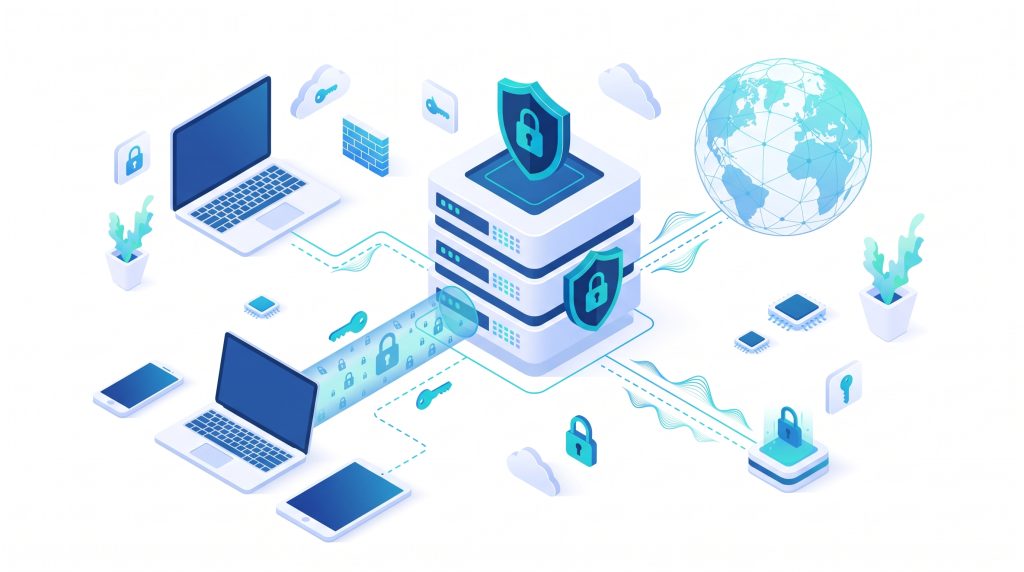
Security is not optional for Admin RDP. By definition, you are exposing a Windows server to the internet with elevated privileges. Without proper protection, your instance becomes a target for brute-force attacks, ransomware, and DDoS campaigns.
DDoS Protection is your first line of defense. Distributed Denial of Service attacks flood your server with traffic, consuming bandwidth and processing capacity until legitimate connections fail. Wilivm deploys always-on DDoS mitigation at the network edge, filtering malicious packets before they reach your instance. Our systems analyze traffic patterns in real-time, distinguishing between legitimate users and attack vectors. During an active attack, your RDP session remains accessible while the assault is absorbed and neutralized. This protection is included with every plan at no additional cost because security should be inherent, not upsold.
Firewall Configuration gives you granular control over inbound and outbound traffic. With full administrator access, you can configure Windows Defender Firewall or third-party solutions to whitelist only trusted IP addresses, block unnecessary ports, and enforce strict access policies. We recommend restricting RDP port 3389 to your known IP ranges and enabling Network Level Authentication (NLA) to reduce attack surface. Our knowledge base provides step-by-step hardening guides tailored to common use cases.
Beyond network security, we implement infrastructure-level safeguards: encrypted backups, isolated virtualization layers, and regular security patching of host systems. Your data resides on redundant storage arrays, protecting against hardware failure. Snapshots allow point-in-time recovery if malware compromises your instance. Security at Wilivm is multi-layered, proactive, and designed to let you focus on your work rather than defending your server.
Windows Server Admin RDP: Supported Editions and Features
Choosing the right Windows edition impacts compatibility, performance, and licensing. Wilivm supports a comprehensive range of Windows Server editions to match diverse requirements.
Windows Server 2022 / 2025: The latest editions offer enhanced security features including TLS 1.3 by default, improved container support, and Azure Arc integration. Ideal for modern applications, hybrid cloud deployments, and organizations requiring cutting-edge security postures.
Windows Server 2019 / 2016: Stable, widely supported platforms perfect for legacy applications, established workflows, and environments where compatibility trumps novelty. Extensive driver and software support makes these reliable choices for production workloads.
Windows 10 / 11 Pro: For users who need a desktop experience rather than a server OS. Suitable for trading platforms, office applications, browser automation, and any software that doesn’t run optimally on Server editions. Note that Windows desktop editions have concurrent connection limits; contact us for multi-user configurations.
Every installation includes full GUI (Graphical User Interface) by default—no command-line-only servers unless specifically requested. You receive immediate access to PowerShell, Remote Desktop Services configuration, Group Policy Editor, and all standard Windows administration tools. Custom ISO uploads are supported for specialized requirements. Licensing is included in your plan; no separate purchases or activation headaches. Our automated deployment ensures a clean, updated installation every time, free from bloatware or residual configurations from previous users.
Migrate to Wilivm Admin RDP: A Step-by-Step Guide
Migration anxiety is real. Moving workflows, data, and configurations to a new provider feels risky. We’ve streamlined the process to make transitioning to Wilivm painless and predictable.
Step 1: Assessment. Inventory your current setup: installed applications, data volumes, scheduled tasks, firewall rules, and user accounts. Document dependencies and note any custom configurations. This prevents surprises during cutover.
Step 2: Provision Your Wilivm Instance. Select the plan matching or exceeding your current resources. Choose your Windows edition and preferred data center location. Complete checkout; your server will be ready within minutes.
Step 3: Data Transfer. Use your preferred method: RDP file transfer for small datasets, FTP/SFTP for structured transfers, or robocopy/rsync for large-scale migrations. For database-driven applications, export/import routines ensure consistency. Our team can assist with complex transfers at no extra charge.
Step 4: Application Installation & Configuration. Reinstall your software stack using documented procedures. Apply saved configurations, restore scheduled tasks, and reconfigure firewall rules. Test thoroughly in the new environment before switching traffic.
Step 5: Validation & Cutover. Run parallel operations if possible. Verify all workflows function correctly. Update DNS records, API endpoints, or client configurations to point to your new Wilivm IP. Monitor closely during the transition period.
Step 6: Decommission Old Environment. Once validated, securely wipe and cancel your previous service. Retain backups for 30 days as a safety net.
Our migration assistance program offers hands-on support throughout this process. Engineers review your migration plan, help troubleshoot compatibility issues, and validate successful transfers. Zero-downtime migration isn’t aspirational—it’s our standard operating procedure.
High-Performance Admin RDP with Full Root and 24/7 Support
Performance without support is fragile. Support without performance is frustrating. Wilivm delivers both. Full Root/Administrator Access means you never hit a permission wall. Modify system files, install kernel-level drivers, configure advanced networking, deploy custom services—everything is within your authority. This freedom accelerates development, simplifies troubleshooting, and eliminates dependency on provider intervention for routine tasks.
But autonomy doesn’t mean abandonment. Our 24/7 Engineer Support team consists of experienced Windows administrators and network specialists—not script-readers. When you open a ticket or start a live chat, you connect with someone who understands RDP internals, Windows architecture, and network diagnostics. Average response times are measured in minutes, not hours. Complex issues receive escalation paths to senior engineers. We monitor our infrastructure proactively, often resolving problems before you notice them.
High performance extends beyond hardware. Our network is optimized for RDP protocol efficiency, reducing compression artifacts and input lag. TCP optimization, QoS prioritization, and intelligent routing ensure smooth sessions even during congestion. Resource isolation guarantees your allocated vCPU and RAM remain exclusively yours. Benchmark tests consistently show Wilivm instances outperforming competitors in the same price tier. Performance is measurable, consistent, and backed by SLA commitments.
Why Choose Wilivm for Your Next Admin RDP Server?
The RDP market offers countless options. Here’s why professionals consistently choose Wilivm:
Uncompromising Hardware: NVMe storage, modern CPUs, and genuine resource isolation. No overselling, no bait-and-switch specifications. What you see is what you get.
True Administrative Freedom: Full admin rights on every plan. No hidden restrictions, no approval queues, no feature gating. Your server, your rules.
Security by Default: DDoS protection, dedicated IPs, isolated environments, and encrypted backups included standard. Security isn’t an upsell—it’s foundational.
Instant Gratification: Automated provisioning delivers your server in minutes. Start working immediately, not tomorrow.
Human Support: Real engineers available 24/7. Technical expertise, not canned responses. We solve problems, not deflect them.
Transparent Pricing: No hidden fees, no surprise charges, no forced annual contracts. Flexible monthly billing with instant scaling. Pay for what you use.
Proven Reliability: 99.9% uptime SLA backed by redundant infrastructure and proactive monitoring. Your business continuity is our responsibility.
Industry-Specific Optimization: Servers tuned for trading, SEO, development, and enterprise workloads. We understand your use case because we serve it daily.
Your Admin RDP is more than infrastructure—it’s your workspace, your toolset, your competitive advantage. Choose a partner who treats it with the seriousness it deserves. Choose Wilivm. Deploy today and experience the difference that professional-grade RDP makes.